

By David Miguel on Jun 17, 2026

Quick links
- Key takeaways
- What are marketing automation programs?
- 1. The strategy
- 2. The software
- 3. The process
- 4. The goal
- Why use marketing automation?
- Core capabilities of automation platforms
- The human touch in an automated world
- Choosing the right program
- Implementing your automation strategy
- Conclusion
- Frequently asked questions
Key takeaways
- Use marketing automation programs to cut out the grunt work, connect your CRM, email, and ads, and lead customers on journeys that align with your business objectives. Begin by mapping your customer lifecycle, key touch points, and KPIs so that each workflow supports a quantifiable goal.
- You need software that’s just right for your stack and future growth, with powerful workflow builders, analytics, and integrations. Compare platforms on scalability, ease of use, and support so your team can get automation up quickly and grow it as your marketing matures.
- You require a well-defined recorded strategy for deploying automation, from charting current workflows to leveraging preconfigured templates to iteratively polishing sequences. Start with a limited number of high-impact automations, track performance, and expand to additional channels once you observe sustained results.
- With automation, you can optimize efficiency and lead quality through campaign management, lead scoring, nurturing journeys and segmentation. Employ data-driven triggers and analytics to prioritize the most promising leads, tailor follow-ups and coordinate marketing and sales around shared dashboards and metrics.
- You should approach automation as a platform that liberates your time so you can focus on strategy, creativity, and relationship-building, not as a substitute for human insight. Leverage personalization, trigger campaigns, and occasional human outreach to build trust and loyalty, rather than generic, fully automated messaging.
- You can guarantee long term success by constantly revisiting your needs, integrations, and scalability needs and by keeping clean, well-governed data. Build in a living checklist for journey mapping, data prep, rollout, and optimization to keep your automation program accurate, compliant, and closely connected to your business outcomes.
Marketing automation programs are software that allows you to organize, schedule, and monitor your marketing activities across channels in a single system. You leverage them to eliminate manual drudgery, centralize customer data, and launch campaigns triggered by actual behavior rather than speculation.
From email sequences and lead scoring to attribution and reporting, they provide you consistent execution and greater visibility. The following sections walk through how these programs fit into your existing stack.
What are marketing automation programs?
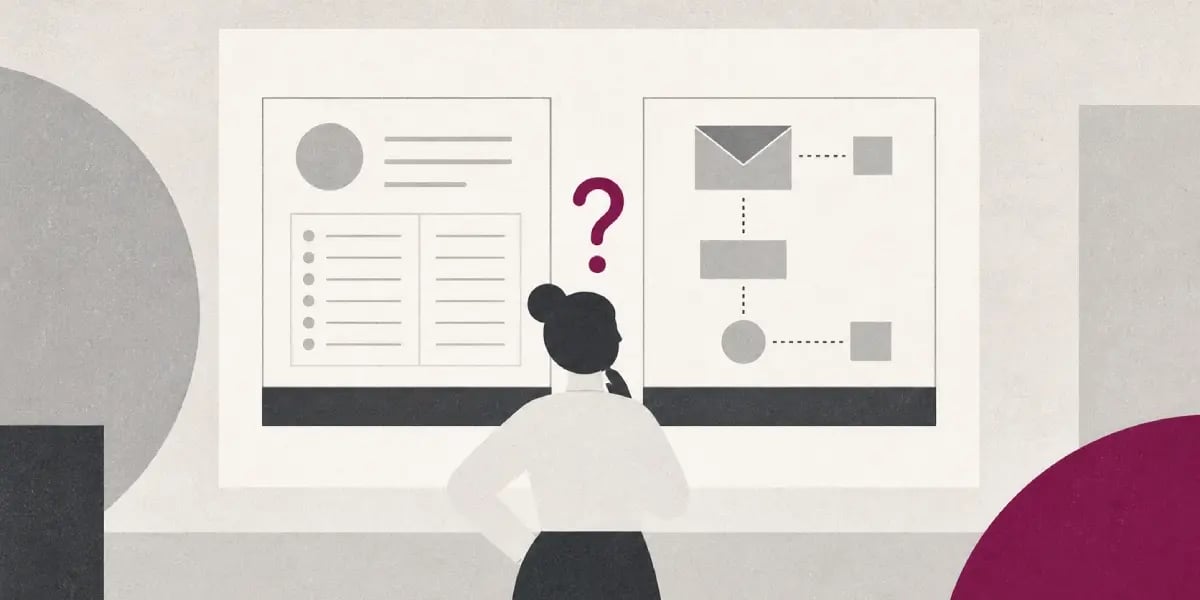
Marketing automation programs are software that automates repetitive marketing tasks across channels so your team can dedicate more time to strategy and creative work. If you're deciding where automation should start, 17 manual marketing tasks that should have been automated by now can help prioritize the work.
In reality, they take care of sending personalized emails, publishing social media messages, running ads, firing push notifications, and scoring leads based on behavior, all from a unified orchestrated environment that slots into your broader tech stack.
These platforms sit between your audience data and your execution channels: CRM leads to marketing automation, which leads to email, ads, web, and app. They connect with your CRM, email service, ad accounts, and website or product analytics so anytime a contact engages with your brand, an automated response can be triggered. If you're auditing your current CRM setup, 9 CRM mistakes that cost businesses thousands every year can help you avoid expensive mistakes.
Typical workflows are abandoned cart emails, post-purchase upsell sequences, omnichannel nurture journeys, and re-engagement flows for being, all built to run smoothly with little hassle.
A solid automation setup tracks lead activity across touchpoints, scores and prioritizes leads, optimizes the send time for each contact, and orchestrates thousands of personalized messages and scheduled posts.
The primary objective is predictable efficiency: you reduce manual work, increase consistency, and create a scalable engine that supports long-term growth instead of one-off campaigns.
1. The strategy
A marketing automation strategy connects your automation programs to your business objectives and existing marketing plans, so you’re not simply “turning on features” but intentionally crafting how leads flow from initial contact to income.
You convert high-level goals such as lowering acquisition cost, increasing average order value, or accelerating sales cycle into automated acquisition, nurture, conversion, and retention journeys.
You need a clear view of your customer lifecycle and the key touchpoints where automation can change outcomes: first website visit, content downloads, free trials, demo requests, purchases, renewals, and churn risks.
For each, specify what triggers a workflow, what messages are sent, and what channels are used, including email, SMS, push, in-app, and paid retargeting.
Create a focused list of channels and processes to automate first, aiming for high impact with low complexity: abandoned cart, welcome series, lead nurture, and win-back are usually strong starting points.
Then define specific KPIs per workflow: conversion rate, time to first purchase, lead to opportunity rate, revenue per email, and unsubscribe rate so you can track if automation is really improving efficiency, not simply bombard your audience with more messages.
2. The software
On the software side, key features to look for include a visual workflow builder, strong email automation, rules-based and behavioral segmentation, lead scoring, content scheduling, and analytics that connect activity with pipeline and revenues.
The workflow builder is key because it determines how simple it will be for you to create and modify journeys without relying on engineering assistance.
If anything, you want to compare platforms mainly on integration depth with your CRM, data warehouse, and ad platforms. Native, two-way syncing with tools like Salesforce, HubSpot CRM, or popular e-commerce systems slashes data friction and keeps your segments spot-on. If your current system is creating friction, 5 signs you've outgrown your CRM can help you decide whether it is time to switch.
If you depend on custom or legacy systems, verify API completeness and the presence of integration platforms.
Essential automation tools usually cover three layers: campaign orchestration (journeys, triggers, omnichannel sends), intelligence (lead scoring, predictive send times, audience insights), and governance (permissions, approvals, audit logs).
Pick software that scales with your roadmap. Modular pricing, flexible data models, and support for new channels ensure you don’t have to re-platform when volumes grow or your GTM motion changes.
3. The process
The implementation process typically follows a simple pattern: trigger event leads to workflow activation, which leads to personalized actions and continuous optimization.
A user looks at a product, submits a form, and hits a score threshold. They get entered into a workflow. The workflow sends customized messages and updates information. You monitor results and optimize rules.
Before configuring anything, document your current workflows in plain language and diagrams: where leads enter, how you follow up, how you qualify, when you hand off to sales, and where manual steps slow things down.
This mapping reveals holes and redundant work and it stops you from automating chaos by merely converting messy manual steps into messy automated ones.
To minimize deployment time, begin with templates for common flows—welcome series, abandoned cart, basic lead nurture—that you adapt to your segmentation logic, brand voice, and compliance requirements.
As you run these automations, check in on their performance weekly, tweak the triggers and content based on data, and regularly audit your rules so old experiments do not keep running and colliding with new journeys.
4. The goal
At its essence, the objective is to make marketing more efficient and productive by transferring routine execution from humans to software.
You want sharper engagement: more relevant, timely messages driven by real behaviors instead of generic blasts.
A powerful automation infrastructure pumps more and better leads to sales by cultivating them via defined, trackable funnels instead of random follow-up.
When sales and marketing have the same automated data flows, you get shared definitions, cleaner feedback loops, and sharper insight into what really drives revenue.
Why use marketing automation?

Marketing automation tools provide you with a reliable method to eliminate tasks, link disparate systems, and operate marketing campaigns that expand without needing to increase staff each quarter. A broader view of the surrounding stack can help, and 8 must have marketing tools for small business covers the tools that often support this workflow.
Boost efficiency
Marketing automation tools handle repetitive tasks that quietly drain capacity, such as sending follow-up emails, updating contact records, and generating recurring reports. Instead of having a coordinator manually spend hours every week shuttling data between different marketing automation platforms, you can design a workflow once and let the system execute it thousands of times with the same logic and rules. This advanced marketing automation platform allows your marketing teams to focus on strategy and drive customer engagement. If email is part of the same growth motion, maximize your results with these powerful email marketing automation tools can help you compare the automation layer.
You can build workflows that reflect how your team already operates: input from form submissions or ad clicks leads to processes like enriching data, applying lead scores, and sending email automation sequences. The output includes SQL in CRM or newsletter subscribers, ensuring that human error is minimized. By utilizing marketing automation features, you gain transparency on completion rates, allowing you to identify where leads may get stuck or where assets may fail.
Triggers are at the heart of this efficiency. For instance, when a contact downloads a whitepaper, the marketing automation software sends a tailored follow-up, increments the lead score, and logs everything in your CRM platform. This automation sequence runs in real time, freeing your team for more strategic initiatives and experimentation in your marketing campaigns.
Enhance personalization
Personalization ceases to be a campaign-level, mission-critical task and instead becomes a process capability when your automation platform brings together profile data, behavioral data, and content rules in a single location. Segment by firmographics, life cycle stage, past engagement and product usage and map each segment to different email tracks, offers or onsite messages.
From there, dynamic sequences adjust as people behave. If they open but never click, they might be sent something shorter and to the point as a follow-up. If they sit in a demo webinar, they transition from educational content into pricing or migration guides. You set conditions one time, and the platform redirects every contact into the most relevant branch automatically. If you're exploring AI across your workflow, AI agents aren't coming. They're already here. gives useful context.
Modern tools are introducing AI into this mix in a controlled, measured way. You can use AI to generate subject line variants, recommend content based on past engagement, or optimize send times for each contact. The impact is visible in engagement metrics: higher open and click-through rates, lower unsubscribe rates, and better time on page, all tracked automatically and surfaced in dashboards.
Improve lead quality
Enhancing how your sales team spends their day is crucial. By implementing marketing automation tools, you set up a scoring system that awards points for actions such as page visits, downloads, events, and email opens, along with attributes like industry, company size, and role. This system scores leads in real time, identifying those that exceed a threshold as sales-ready.
Nurturing becomes a formalized, measurable process instead of spur-of-the-moment emails. Leads who aren’t quite sales ready get shifted into automated funnels that nurture them, debunk objections, and gather additional intent signals over time. This keeps your database warm while shielding sales from pursuing low-intent leads.
Integration with your CRM platform is key here. When marketing automation software and CRM share a single contact record, sales can see the full interaction history: every email, page visit, download, and form submission. You can track conversion rates by segment and source, adjusting scoring rules or nurturing content based on which paths generate qualified opportunities.
Align teams
When marketing, sales and leadership are on isolated systems, you bicker about whose numbers are “correct.” A well-implemented marketing automation platform becomes the common operational layer that minimizes this friction by consolidating campaign data, lead status and pipeline influence in one location.
Shared workflows and dashboards provide both marketing and sales with real-time transparency into what’s going on. Sales can see which campaigns a lead hit prior to a call. Marketing can observe the number of qualified leads who converted to opportunities and revenue.
Management can track cost per lead, cost per opportunity, and channel performance without generating custom reports every week. This shared visibility drives consistent processes across regions and business units and fuels growth teams that have to rapidly test, learn, and re-distribute budget.
Core capabilities of automation platforms
Marketing automation platforms are best when they lower friction, integrate cleanly to your existing stack, and deliver predictable value over a span of years rather than short-term, showy wins.
Core features you should expect as a baseline:
- Visual, drag‑and‑drop workflow builders (no coding required)
- Native CRM integration for shared sales and marketing data
- Multi-channel orchestration: Email, SMS, social, and chat in one place
- Lead capture, scoring, and dynamic segmentation in real time
- Automated campaigns for onboarding, nurturing, and reengagement
- Central campaign management across channels with shared assets
- Analytics and dashboards covering KPIs, journeys, and ROI
- Flexible pricing that doesn’t impose harsh per-contact penalties as you scale.
- Strong support, training, and self‑serve education resources
State-of-the-art platforms build on this base with AI orchestration and workflow management. You can specify rules like “if user abandons cart on web, then send reminder email and SMS, then update CRM stage,” then the system executes that logic 24/7.
The more powerful platforms link these flows between channels so your email, ads, and chatbots act like one unified machine rather than isolated silos. This is what supports a true omnichannel strategy: one profile leads to many touchpoints and creates one coherent experience. If email, CRM, and automation overlap in your stack, HubSpot vs MailerLite: Do you really need an all-in-one platform? can help frame the platform decision.
Tight integration is non-negotiable. Native CRM connectors should sync contacts, activities, and lead scores in both directions, so sales has the same view of a prospect that marketing sees.
When your lead database can push scores, lifecycle stages, and intent signals directly into CRM, your reps know exactly who to call. Your automations know exactly who to nurture instead of pushing everyone into the same generic series.
Lead management
Robust lead management begins with automated capture from forms, ad platforms, and social campaigns directly into a centralized lead database.
From there you route leads based on geography, product interest, or deal size into sales queues or nurture tracks. This minimizes manual triage and maintains uniform response times.
Every click, page visit, or message reply should write back out into both the automation platform and the CRM. It’s that shared history that allows you to create accurate journeys instead of assuming.
Scoring and segmentation operate on top of this information. You merge engagement (opens, clicks, site activity) with profile data (role, industry, company size) to score in real time and shift people between segments automatically as they act.
Email marketing
Automation platforms handle the repetitive email work, including scheduled newsletters, lifecycle updates, and reengagement campaigns that fire based on simple rules.
You take in behavioral and profile data, then customize subject lines, content blocks, and send times. A contact who viewed pricing yesterday shouldn’t get the same message as someone who just downloaded a top-of-funnel guide.
Deliverability tools assist you with test send domains, IP warm-up, and spam complaint monitoring. Built-in analytics display opens, clicks, and conversions by segment so you can make informed changes rather than guessing!
Most teams start with out-of-the-box flows for onboarding, cart abandonment, and post-purchase, then polish them over time. Pretty much all good platforms make these flows visual and editable.
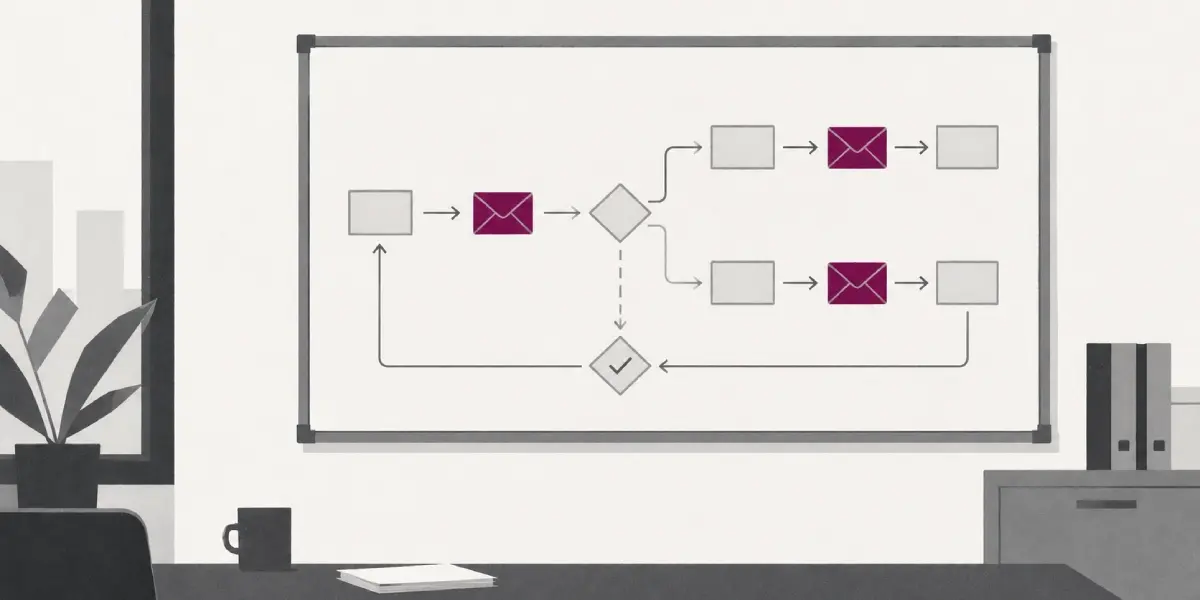
You can see the whole sequence on one screen and tweak a step without reconstructing the entire journey.
Campaign creation
Visual automation builders give you a canvas: trigger, conditions, and actions. You drag and drop emails, waits, splits, and channel actions until the flow resembles your actual process.
Multi-channel is native, so you can orchestrate email, SMS, retargeting audiences, and chat prompts from a single hub instead of flailing between different tools. One campaign can shift people between channels depending on their actions.
Prebuilt templates, asset libraries, and cloning features keep build time down. You don’t whiteboard everything anew; you reuse templates that already work and then localize content for regions or segments.
You track performance right within the canvas with live metrics on every step. If a given email is underperforming, you tweak it, reroute the branch logic, or divert traffic on the fly without stopping the entire campaign.
Analytics and reporting
Analytics for a serious automation platform spans both high-level KPIs and low-level behavior. You get to see revenue attribution by campaign, channel, and segment, not just vanity metrics.
Dashboards illustrate critical figures such as open rates, click-through rates, form completions, and conversion at each step of the journey. This provides you with an input, process, and output perspective on how each workflow really functions.
Journey reports follow cohorts as they traverse channels over time. You can track where prospects stall, where they convert, and where small changes in timing or messaging increase throughput.
Export and APIs matter if you run a bigger stack. You need to be able to push raw and aggregated data into business intelligence tools or data warehouses so marketing performance sits alongside sales, product, and finance data.
The human touch in an automated world

Marketing automation truly pays off only if it safeguards time for you to do the thinking, creating, and customer connecting that only humans can do. The real edge isn’t about sending more emails or longer journeys, but about smart marketing automation tools that reduce friction, plug cleanly into your stack, and provide predictable value for years, not months.
Fostering creativity
Automation ought to empty your desk, not fill your head. Employ it to tackle the grunt work—lead routing, simple follow-ups, report exports—so your squad can dedicate more hours to messaging, offering, and creativity.
When the platform executes drudge work, you can point your attention towards questions such as “What story are we telling?” rather than “Did that campaign fire?” You get the space to experiment with new formats and concepts with less peril.
For instance, you can A/B test three onboarding sequences at once or cycle creative concepts by segment while the system manages send times, frequency, and suppression rules. The machine executes, you stay involved in the hypothesis and the learning.
AI content tools can assist this work if you think of them as prompts, not substitutes. Employ them to sketch out variations, to reframe angles, to localize for new markets, and then polish with your knowledge of your audience and brand. This maintains quality while accelerating iteration.
Leave room for organized brainstorming on workflows themselves. Trace your funnel on a whiteboard — awareness, consideration, trial, expansion — and automate around the experience you want humans to have at each. You get more original flows when teams collaborate rather than merely edit in tool UI.
Deepening strategy
Your automation platform data is a strategy asset, not just a dashboard. Open rates, reply rates, conversion paths, and unsubscribe patterns reveal to you where friction surfaces in the journey and where interest peaks.
This allows you to reframe offers and timing at a system level instead of guessing. Tie every automation track to a specific long-term objective: retention in a key segment, expansion revenue, shorter sales cycles, or better product adoption.
Then sync messaging with how people really decide, mixing easy behavioral triggers such as hitting the pricing page or using a feature three times with marketing psychology like social proof or loss aversion. Use analytics to spot new opportunities and trends: segments consistently asking similar questions, regions engaging with certain content types, or cohorts stalling at the same stage.
These patterns inform you where to construct new branches, where to insert human touchpoints, and where to streamline over‑engineered journeys. Put in place regular audits at least quarterly to retire underperforming sequences, consolidate overlapping paths, and tighten rules.
This keeps your system maintainable, reduces edge-case failures, and protects the long-term value of your automation investment.
Building relationships
Consumers still want humans at the center of their experience: 75% of global consumers—and 82% in the United States—say they desire more human interaction from brands, not less. Your automation stack has to honor that reality.
Leverage the platform to customize at scale, but always make it feel like a human being who knows something talking to another human being, not a script responding to a field. Trigger-based journeys can help you show up at meaningful moments in a way humans could not sustain manually: post-purchase check-ins, contract renewal reminders, re-engagement nudges after inactivity, or proactive education when someone explores a new feature.
Done well, this appears as care and not oversight. Personalization is no longer a surprise; it’s an expectation. Approximately 54% of consumers state that they anticipate personalized experiences and 51% specifically seek out pertinent product suggestions when engaging with a service.
Half get frustrated trying to reach an agent through maze-like automated systems. It’s that gap that’s precisely where loyalty is won or lost. Design your flows such that automation shields and magnifies human touch rather than obstructing it.
Make live agent escalation easy and prominent, and route context with the ticket so teams access history, behavior, and probable intent. Recall that 71% of consumers say the agent largely defines their experience and 73% eschew companies that aren’t empathetic.
So when a proactive, well‑armed agent intervenes, empowered by precise data and smooth integrations, customers tend to not only solve problems faster, but buy more, too! Efficiency and empathy are the true differentiator, and the technology discreetly fueling humanity at scale.
Choosing the right program

Selecting a marketing automation software is an operations decision, not just a marketing one. The best marketing automation tools minimize friction, integrate seamlessly, and provide consistent value for multiple years, not just the initial campaign.
- Core capabilities compared to your use cases – Map features to real workflows: lead capture leads to nurturing leads, which leads to handoff to sales, and then reporting. Compare email automation depth, journey builders, lead scoring, and analytics. Don’t be dazzled by add-ons you won’t need for 12 to 24 months.
- Integration strength: Check for native connectors with your CRM, ecommerce, ad platforms, and analytics. Weak integrations create data silos, double entry, and broken funnels. Strong ones consolidate customer information and maintain your statistics uniformly across platforms.
- Usability and learning curve – A clean, logical interface beats “power user” features your team can’t get to. If creating a basic nurture flow drags in a demo, prepare for adoption issues and perpetual support tickets.
- Customization and flexibility are important. See how much you can customize fields, events, scoring, and reporting without custom code. Hard frameworks appear neat at first and then constrict you when your segmentation or attribution model becomes more subtle.
- Pricing and limits – Go further than the headline figure. Consider tiers, email send caps, user limits, API quotas, and automation limits per month. A low entry fee with aggressive overage charges will often be more expensive at scale than a higher, predictable plan.
- Scalability and performance – Observe how the platform performs with higher volumes, more brands and channels. You want something that can scale with your marketing complexity for three to five years without frequent migrations.
- Support, training, and community – Put vendors with defined onboarding paths, structured training, and engaged user community first. Good support decreases ramp-up time and the chances of broken automations slipping through for months.
- Security, reliability and roadmap — Inquire about uptime record, data residency choices and product roadmap. You want a provider focusing on analytics, reporting, and integration depth, not just surface features.
Assess your needs
Begin with a straightforward requirements map: goals lead to campaigns, which then lead to data and people. Are you focusing on lead generation, lifecycle marketing, account-based campaigns, or ecommerce retention? Each scenario depends on different marketing automation features and reporting perspectives. If pipeline quality is part of the same challenge, the best lead generation tools in 2026 can help compare lead capture options.
Document your team's size and technical expertise. A small business marketing team with limited engineering support needs intuitive visual builders and clear templates. Conversely, a larger team with operations specialists can leverage more complex marketing automation tools for customization.
Translate goals into non-negotiable features: dynamic segmentation, multi-step journeys, CRM sync, ecommerce events, or advanced analytics. Be precise: “must trigger cart reminders within 15 minutes” is more useful than “needs cart automation.
Give a realistic budget range in a single currency (e.g., 1,000 to 2,000 EUR per month) and link revenue expectations or cost savings. Then determine if you only require fundamental automations like welcome series and simple scoring, or sophisticated functions like branching journeys, predictive scoring, and channel orchestration.
Evaluate integrations
Treat integration fit as pass or fail — not a “nice to have.” Check verified integrations with your CRM, ecommerce engine, ad networks, and analytics tools, and test how data actually moves: fields synced, sync frequency, and conflict rules.
Go over API documentation and limits so you know if custom workflows, like sending offline conversions back to ad platforms or syncing product usage events, are realistically achievable without heavy custom work.
Verify that campaign data, events, and revenue outcomes can feed into your central reporting layer, be it a BI tool or your CRM dashboards, so your team can perform accurate attribution and cohort analysis.
Predilect platforms with prebuilt integrations to popular tools, leading CRMs, ecommerce platforms, analytics suites, and customer data platforms, as this typically indicates active upkeep and less breakage when upstream tools update.
Consider scalability
Select a platform that won’t compel yet another migration once you double contacts, launch new regions, or add SMS or in-app messaging channels. See how pricing, performance, and feature access act when contact volumes and campaigns increase.
Consider user management, workspaces, or multi-brand structures if you anticipate additional teams or markets onboarding. You need permission models and workflow libraries that accommodate a small central team now and distributed teams later.
Check whether automation builders remain manageable when journeys get complex. Systems with modular workflows, cloning and shared components are easier to scale than rigid linear builders.
Look at the vendor’s upper tiers for future features and support, not just the entry plan.
Implementing your automation strategy
Marketing automation implementation works best when you approach it as a staged operations project, not just a one-off campaign. By establishing objectives and mapping target users, you can develop advanced automation features that create a seamless omnichannel experience with minimal latency and great dependability.
Map the journey
First, map the full lifecycle from unknown visitor to loyal advocate. For each stage, identify what the person requires, what you know about them, and which marketing channels you already use, such as email, web, social, ads, events, and messaging apps. Understanding these aspects is crucial for small businesses looking to optimize their marketing automation features.
Next, find where marketing automation tools bring value rather than noise. Typical touchpoints include the first website form-fill, content downloads, and high-intent behaviors like pricing-page visits. These points are ideal for nurturing, reminders, and hand-offs to sales through automated workflows.
Maintain a structured view to keep the logic clear: identify triggers, actions, and success metrics for each journey stage. For example, if someone visits the pricing page multiple times, it should lead to actions like raising lead scores, alerting sales, and adding them to a high-intent nurture sequence. This approach aligns with the goals of the marketing automation industry.
Finally, map these automation sequences to your primary marketing objectives, such as pipeline growth and customer engagement. This strategic alignment ensures that your marketing automation software effectively supports your overall marketing strategy.
By leveraging automation software, you can enhance your marketing processes while providing valuable insights into customer journeys, ultimately leading to better outcomes for your marketing teams.
Prepare your data
Clean your data before you automate your marketing processes. Standardizing country names, job titles, and company fields, while removing blatant duplicates and correcting broken email addresses, is crucial. Bad data can make even the best marketing automation tools sound like junk, damaging deliverability and targeting.
Next, create segments that represent actual purchasing behavior, not just demographics. Incorporate firmographics like industry and company size, along with behavioral signals from engagement over time. This is where advanced marketing automation features, such as automated lead scoring, become central. By using engagement patterns and demographic fit, you can identify high-intent prospects and route them correctly.
Set simple data governance right from the start. Determine who owns field definitions, how consent is captured and stored, and how you follow rules in different regions. Write down policies for removing or archiving dormant leads to keep your database slim and trustworthy.
Finally, connect your CRM platform, website, ad platforms, and product data. This integration allows your marketing automation software to observe a single cohesive profile for each individual, letting your CRM serve as the system of record while your automation tools manage that record effectively.
Start small
Begin with a basic welcome workflow as your pilot, leveraging marketing automation tools to streamline the process. Identify the objective, such as “get new subscribers to take first meaningful action within 7 days.” Map the micro-journey, compose three to four simple, actionable emails, and test across devices and inboxes prior to going live. Leverage this pilot to confirm deliverability, tracking, and simple reporting using your preferred marketing automation software.
Track performance on a weekly basis, particularly in the early going, so you don’t overlook data that signals broken logic, bad timing, or messaging that doesn’t fit. Examine open rates, click rates, unsubscribe rates, and early conversion rates, and gather qualitative input from your marketing and sales teams to enhance your overall marketing strategy.
Once the pilot is stable, expand to high-impact, repeatable workflows: lead nurturing, re-engagement campaigns, post-purchase onboarding, and basic multichannel touches such as emails and scheduled social posts.
At this point, you can confidently add more sophisticated features such as tons of personalized emails, weeks of scheduled content, and behavioral lead scoring, as long as you keep them connected to specific results.
Steer clear of “set and forget.” Create a lightweight checklist to keep the system healthy and ensure your marketing automation features are effectively utilized.
- Weekly: Check core metrics and error logs. Confirm leads sync with CRM.
- Monthly: Review workflow performance, test key branches, refresh underperforming content.
- Quarterly: Validate scoring model, clean segments, confirm compliance and consent logic.
Final thoughts
Marketing automation programs work best when they support how you already sell and deliver value, not when they supplant your judgment.
You now know what these platforms do and where they make the biggest impact, and what to look for as you compare tools. The true benefit comes from tailoring features to your workflows, data, and team capacity.
Strong results usually come from a steady approach:
- Start with one or two high-impact journeys
- Measure what changes in your pipeline and revenue
- Adjust based on real behavior, not assumptions
With the right program and a plan, you eliminate manual busywork, gain cleaner data, and craft more consistent experiences for your customers at every stage.
Frequently asked questions
What is a marketing automation program?
A marketing automation program is a powerful marketing automation tool that allows you to plan, run, and track your entire marketing strategies in one spot. It automates processes like email campaigns and follow-ups, saving you time and enhancing customer engagement.
How can marketing automation help grow my business?
Marketing automation programs are essential tools that help you reach the right people with the right message at the right time. These marketing automation features nurture leads automatically, recover lost sales with follow-up flows, and improve conversion rates through data-driven campaigns, ensuring you make more money with less effort.
Is marketing automation only for large companies?
Marketing automation for small businesses, medium, and large organizations is essential. Most marketing automation tools offer flexible plans and user-friendly features for smaller teams, allowing them to start with simple email automation sequences and scale to complex workflows as their marketing processes and objectives grow.
What features should I look for in a marketing automation platform?
You want to find user-friendly email marketing tools, visual automation workflows, segments, lead scoring, and powerful analytics. Nice integrations with your CRM platform and website are important. Select a marketing automation software that fits your objectives, budget, and team capabilities, not necessarily the one with the longest feature list.
Will marketing automation replace my marketing team?
No, marketing automation tools aren’t going to put your team out of a job. They tackle mundane tasks, but you still require humans to plan strategy, write copy, and analyze results. The best outcomes arise when your marketing organization pilots the automation features with human insight, creativity, and ethical judgment.
How do I know if my marketing automation is working?
You know it’s working when you see improved engagement and increased revenue with reduced manual labor through advanced marketing automation features. Monitor open rates, click-through rates, conversion rates, and sales pipelines, utilizing marketing automation tools to refine your workflows according to actual performance data.
How do I get started with a marketing automation strategy?
Begin with specific objectives, such as more leads or more online sales, using advanced marketing automation features. Plan out your customer journey and what to automate first, like welcome emails or abandoned cart flows, leveraging marketing automation tools to optimize your marketing processes.
Why most marketing automation workflows never deliver results
Marketing automation mistakes can stop workflows from producing results. Learn what breaks automation and how to build campaigns that work.
17 manual marketing tasks that should have been automated by now
Marketing tasks to automate: discover 17 repetitive workflows your team can streamline to save time, reduce manual work, and improve campaign execution.
9 marketing automation platforms that actually make your life easier
Compare 9 top marketing automation platforms, including HubSpot, Saleforce, and Mailchimp to streamline workflows, nurture leads, and grow revenue.