

By David Miguel on Jun 14, 2026

Quick links
- Key takeaways
- 1. Failing to customize CRM
- 2. Overcomplicating processes
- 3. Inadequate integration with tools
- 4. Ignoring user training
- 5. Poor user adoption strategies
- 6. Neglecting data quality
- 7. Lack of regular updates
- 8. Not analyzing CRM data
- 9. Underestimating customer feedback
- Conclusion
- Frequently asked questions
Key takeaways
- You get the most value from your CRM when you tailor fields, stages, and workflows to your actual sales process, not a generic one. Engage sales, operations, and leadership in these decisions so the system mirrors how your teams actually work.
- You safeguard productivity when you streamline CRM instead of cluttering it with too many stages or functionality. Map your actual sales stages, eliminate tasks, and review flows periodically with users to keep everything lean and practical.
- You unlock better visibility and less manual work when your CRM is well integrated with tools like email, ERP, marketing, and support. CRM Mistake #4 — assuming if you build it, they will come.
- You fuel consistent CRM adoption when you approach training as a program, not an event. Give them crystal clear onboarding materials, run regular refreshers, and track usage metrics so you can close knowledge gaps and tweak performance.
- By coupling transparent communication, internal champions, and user feedback, you’ll increase adoption and results. Talk about why the CRM counts, reward teams that use it effectively, and optimize your configuration based on what your sales reps and managers encounter in their daily routines.
- You preserve actionable intelligence and smart decision making when you take data quality, updates, and analytics in aggregate. Define strong data standards, periodically review and scrub records, maintain your CRM, and use dashboards and reports to inform ongoing process refinement.
CRM mistakes are the silent value killers — preventable errors that silently erode the value you derive from your customer relationship management system. You experience them as chaotic information, poor user adoption, and unreliable reports.
Many teams face the same patterns: unclear ownership, rushed setup, weak integrations, and missing processes. By knowing these pitfalls ahead of time, you position your CRM as a trustable growth engine, not a millstone.
1. Failing to customize CRM

Failing to customize your CRM system transforms a powerful CRM tool into overhead.
Align fields and workflows with how you actually sell
Plug and play CRMs identify with your virtual sales process. If you leave default stages, fields, and pipelines in place, your sales reps encounter additional clicks, confusing labels, and missing data, which reduces adoption and stalls deals.
To fix that, map your current sales process first: lead source, qualification steps, pricing, approvals, handoff to delivery, and post-sale follow-up. Then, based on that map, customize your CRM stages and required fields. If pipeline quality is part of the same challenge, the best lead generation tools in 2026 can help compare lead capture options.
For instance, if you sell enterprise software that includes a formal “Proof of Concept” step, you get clarity by adding a stage for it, with fields for technical owner, success criteria, and trial end date. That configuration allows you to follow conversion from trial to close, rather than hiding that information in notes or external documents.
The consequence is less manual updating and a pipeline that reflects reality, not a bible model.
Remove clutter so people actually use the system
Not customizing CRM overloaded contact records bog everyone down. If you leave all default fields along with additional unused ones, reps omit updates or dump data in the notes field. Failing to customize in this basic way results in bad adoption, minimal ROI, and more work slipping back into spreadsheets.
A simple clean-up helps a lot:
- Hide fields sales and service never touch
- Deactivate unused features like legacy lead scoring or campaigns
- Group the other fields into sections that make sense with daily tasks.
For instance, a manufacturing distributor often only needs 15 to 20 core fields on the main contact view: role, buying authority, primary product interest, last order value, and renewal date. All the other stuff goes to secondary tabs.
That structure accelerates every call and keeps data quality higher.
Invest in custom solutions when your process is unique
Out-of-the-box CRM capabilities serve a lot of businesses, but cookie cutter solutions fall apart when your workflow involves engineering reviews, hard quotes, or multi-site manufacturing.
That’s when you’re better off prioritizing custom CRM development that mirrors your workflow and compliance requirements.
Examples include:
- Custom objects for “Projects,” “Installations,” or “Machines in field”
- Automated quote approvals based on discount level or region
- To integrate with production systems to associate orders, batches, or serial numbers.
Custom fields and objects allow you to monitor essential information and make informed decisions, rather than cobbling together spreadsheets and emails. By shirking customization, your team remains mired in manual processes, resulting in lost renewals, unregulated discounts, and haphazard handoffs.
Involve real users and protect your data
Effective CRM customization requires input from sales, marketing, operations, finance and support. If you only allow IT or one department to decide, the system frequently does not fit actual workflows and adoption remains low. A broader view of the surrounding stack can help, and 8 must have marketing tools for small business covers the tools that often support this workflow.
Workshops, short feedback cycles, and pilot groups assist you in aligning CRM options with business goals like quicker quote turnaround or increased renewal rates.
Security has to live in this dialogue. You might include custom fields for contracts, pricing or personal data but overlook role-based access, audit logs and field-level permissions, increasing the risk of data breaches.
Badly structured customization can leak sensitive details between teams and harm your reputation. A transparent data model with access controls provides you with both a unified customer data view and enhanced security.
2. Overcomplicating processes
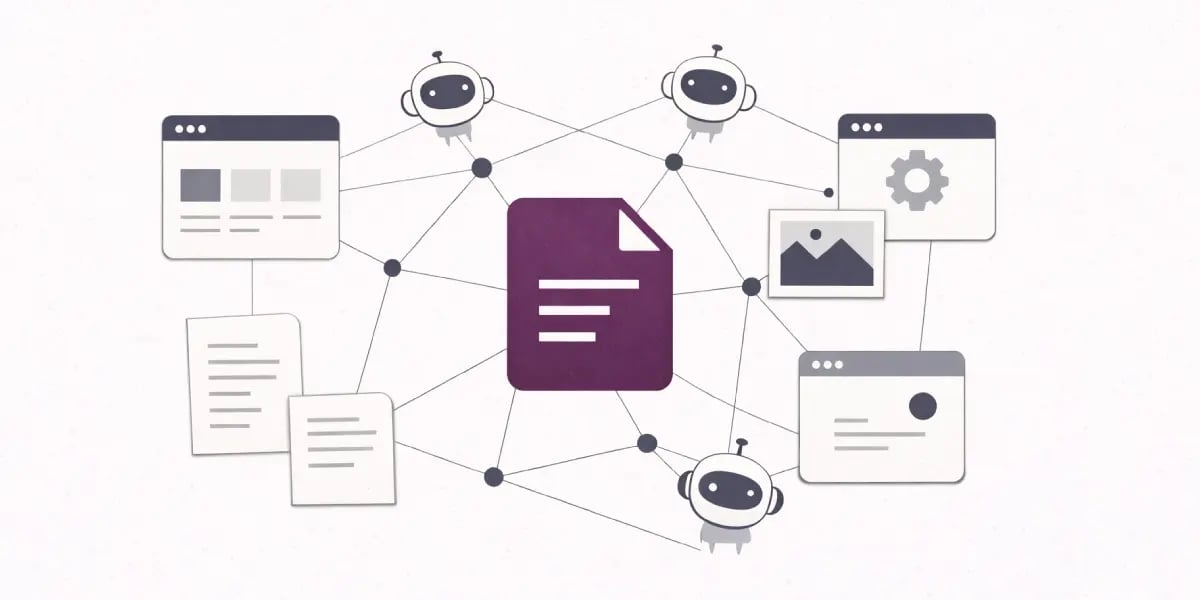
Overcomplicating processes quietly kills CRM value and adoption. When CRM workflows become long checklists and nested screens, your team wastes time and patience. To make things easier, begin by cutting each workflow to the minimum fields and clicks required to advance a deal. A sales rep updating a lead shouldn’t have to leap across five tabs just to log a call and schedule a follow-up.
A cleaner setup leverages one timeline view for activities, defaults for common fields, and automation for repetitive updates such as “next contact date” or “stage changed by.” Less manual work leads to fewer bottlenecks and better data quality since employees actually use the system. Junk tasks and unused features tend to lurk in backwaters and seductively sap productivity.
Too many companies pay for fancy forecasting or AI scoring or territory modules that no one ever touches, while reps continue to copy-paste email notes into the CRM. That gap breeds frustration and transforms the system into a ‘data entry platform’ rather than a selling tool. A better pattern is to turn off or hide features that aren’t tied to an obvious result, such as speedier follow up or a cleaner pipeline.
For instance, if product-level forecasting isn’t part of your sales motion, eliminate those fields from the opportunity page to maintain emphasis on critical activities such as meetings, proposals, and renewals. To keep the CRM meaningful, first map your actual sales stages on paper before you even come near a configuration. Begin with how a lead becomes an opportunity, who approves pricing and what flags a deal as “won” or “lost.
Then match CRM features to those phases only. That’s one pipeline that fits your real process, not five pipelines for every potential situation. Companies that skip this step frequently wind up with feature bloat, confusing phases and minimal adoption. They then deal with the pain of switching systems down the road. A CRM with tiered or a la carte features provides you space to expand without necessitating a complete platform switch each time you grow.
Regular review keeps processes from drifting back into complexity. Set quarterly sessions with sales reps, managers, and operations to walk through:
- Which fields never get filled
- Which approvals block deals
- Which automations break or spam users
Take those sessions as a system check-up. Shift roles, approvals and staged rollouts between departments so each group receives a concentrated configuration and a digestible learning curve.
3. Inadequate integration with tools
Poor integration with powerful CRM tools silently wrecks much of the value you expect from a cohesive CRM system.
Connect your CRM to the systems that actually run your business
For true efficiency, your CRM requires seamless, automated data sync with key systems like ERP, email, calendar, billing, and customer support. When these stay disconnected, your team retypes the same information into multiple tools, updates fall through the cracks, and reports never align.
Most companies already run into this. The average business uses well over 1,000 apps, but around 70% of them don’t communicate with each other. That gap shows up quick when your support team closes a ticket but sales can’t view it in the CRM or when ERP invoices don’t show up in customer records.
Poor integration damages data quality, which analysts estimate costs organizations some $12.9 million per year. A practical approach looks like this: connect your CRM to your ERP for orders and invoices, to your email system for tracking communication, and to your helpdesk for tickets and satisfaction scores. Use proven connectors, not homemade scripts that fail silently.
Align integrations with how your teams already work
Inefficiency frequently results from making teams forsake the tools they like rather than integrate them. Sales reps already waste time on manual work — just 36.6% of their time is spent selling. Every additional copy-paste into the CRM reduces that percentage.
Best outcomes occur when your CRM connects to marketing automation, sales engagement tools, and operations platforms your teams already use and love. For example: If email is part of the same growth motion, maximize your results with these powerful email marketing automation tools can help you compare the automation layer.
- Sync leads and campaign data from your marketing platform directly into the CRM.
- Plug in your sales dialer or outreach tool so calls and emails log automatically.
- Connect operations tools so fulfillment and delivery updates populate the customer record.
This minimizes friction, maintains better adoption, and provides leadership with a single, trustworthy lens across teams. Over 20% of employees don’t know interdepartmental data, and 17% don’t even know how many data sources the company has. That points to a poor integration.
Plan integrations before implementation, not after
Most CRM integration trouble begins prematurely. Nearly 63% of CRM integrations fail, usually because no one mapped customer data flows or treated the CRM as a system of record. To prevent this, teams find it helpful to map integration needs prior to deployment. If your current system is creating friction, 5 signs you've outgrown your CRM can help you decide whether it is time to switch.
At minimum, you want to define:
- Systems of record for key objects (contacts, companies, deals, products).
- Fields that need to remain synchronized between the systems and sync direction.
- Frequency of sync and rules for conflict resolution.
- Access controls so sensitive data stays protected across tools.
A brief, transparent integration plan assists your tech staff or provider in managing expectations, selecting the appropriate integration type (native connector, iPaaS, or bespoke API), and circumventing secret data silos.
Change management is important here as well. They need to know why data is now streaming through the CRM and how it transforms their day-to-day work. A third of new hires get less than an hour of training on the software they use. That degree of onboarding virtually ensures bad adoption and “shadow systems” in spreadsheets.
Digital adoption platforms can mitigate this risk by providing in-app guidance, checklists, and prompts directly within the CRM and integrated tools. That sort of support makes a sophisticated integration easy for people to use without needing to lean on IT all the time.
Continuously monitor syncs and workflows
Once you go live, integrations still require nurturing. Without monitoring, sync failures occur silently and your “single source of truth” begins to drift. Sales reps observe the data gaps and revert to manual exports or personal trackers.
Set up routine checks and alerts for:
- Sync errors between the CRM and connected systems.
- Unusually high numbers of rejected records.
- Delays in data updates that affect reporting or automations.
- Workflows that stop running because of field or schema changes.
A no-frills integration health dashboard lets you respond proactively. When a connector goes down, you want sales, marketing, and support to experience a minor interruption, not a full stop to their day.
4. Ignoring user training

Neglecting user training silently impedes CRM implementation and sabotages the effective change management of a cohesive CRM system.
Give every user a clear CRM starting point
User training has to be for everyone who handles customer data, not just star sales reps. New hires, SDRs, account managers, customer success, and even finance and marketing all engage with your CRM differently.
Core topics usually include:
- How to create, qualify, and progress leads
- Which fields need to be filled out and how to fill them in properly.
- How to log calls, emails, and meetings
- How to use tasks, reminders, and basic reports
For instance, a sales team that is trained in one standard way to record opportunities and next steps will provide you with a pipeline perspective you can really trust. Without that common denominator, your prediction becomes speculation.
Build simple, reusable CRM materials
Training is most effective when folks are not relying on memory. Short, focused resources help a lot:
- Screen-recorded walkthroughs for key workflows, like "create a deal" or "handover to customer success."
- One-page field guides that define each crucial field and when to utilize it.
- FAQ lists that show common mistakes and the right way to do it.
A quick ‘how we use CRM here’ mini playbook provides new hires a no-nonsense alternative to ad-hoc onboarding. Any marketing coordinator in any region can take the same steps without generating duplicate records or off-structure campaigns.
Use audits and refreshers as part of normal operations
Periodic audits surface where practices stray. A quarterly review can check:
- Percentage of deals with required fields complete
- Age of open opportunities with no activity
- Number of contacts without clear ownership
Quick refresher sessions then concentrate on actual lapses. For example, if numerous deals have no next activity logged, you conduct a 30-minute session on activity tracking and follow-up scheduling that connects to real dashboards and examples from your own data.
Measure training impact with usage and productivity data
Training only has a return if the usage and result change. Track:
- Logins per user and time in CRM per week
- Activities created per opportunity
- Adoption of specific features, like sequences or email templates
- Conversion rates by stage and average sales cycle length
When one team has stronger feature usage and faster deal cycles, their habits set the standard for others. Those metrics help you tune training content and understand which workflows generate actual revenue impact.
5. Poor user adoption strategies
Poor user adoption leads to ineffective sales efforts, turning your CRM system into an ignored database instead of a trusted revenue generator.
Appoint CRM champions inside sales
CRM adoption moves faster when you have recognizable “go-to” people on the sales floor. CRM champions are reps or managers who already use the system well and can translate features into daily sales habits.
A strong champion:
- Shares practical workflows that match how your team sells.
- Demonstrates to others how to advance deals, record calls, and refresh notes in the midst of actual work.
- Identifies potential friction points up front, such as slow to process fields or confusing page layouts.
For instance, a regional sales lead can conduct a weekly 20-minute huddle to go over one CRM feature that aided in closing a deal for the week. That type of peer-led training tends to stick more than a one-off vendor webinar.
Communicate clear objectives and benefits
If your team hears “New CRM rollout next quarter,” adoption plummets. Staff who don’t have a clue about the CRM’s advantages, functions, and connection to their own goals seldom use it properly.
You avoid that by stating specific outcomes, such as:
- “Grow qualified opportunities by monitoring every inbound lead to achieve a 15% increase.”
- Reduce manual reporting time from four hours to thirty minutes a week.
Let us know how that affects the quality of data. Weak adoption tends to result in junk records, and research indicates that bad CRM data can cause a revenue loss of 5 to 20 percent per year.
When users recognize the connection between the correct fields and quota, they view updates as part of selling, not additional administration.
Use incentives and recognition, not just pressure
Pressure alone almost never solves adoption. Incentives and recognition programs provide your team with a clear message that CRM usage is important.
Examples that work:
- Scorecards that incorporate CRM hygiene, such as complete fields and on-time updates, into performance reviews.
- Monthly kudos for reps who seal deals using advanced CRM features, such as automated sequences or deal score tracking.
- Little goodies for groups that achieve adoption milestones, like 100 percent of active deals updated weekly.
The emphasis remains on quality, not merely log-ons. You want precise notes, neat pipelines, and up-to-date activity.
Collect feedback and keep training alive
Generic, one-size-fits-all training typically doesn’t work. Sales, marketing, and customer success all operate differently, so each group requires role-specific sessions demonstrating how to utilize the features that are relevant to their work. If email, CRM, and automation overlap in your stack, HubSpot vs MailerLite: Do you really need an all-in-one platform? can help frame the platform decision.
Not enough training and too little support leave users floundering in the system. Without refreshers, users forget workflows and miss new capabilities, which drags down adoption over time.
Plan:
- Short role-specific refreshers every quarter.
- Open feedback channels to capture friction and confusion.
- Tweak fields, layouts, and automations based on actual user feedback.
Bad strategies for adoption don’t simply hamper productivity. They lead to missed sales, bad data, and stalled growth.
6. Neglecting data quality
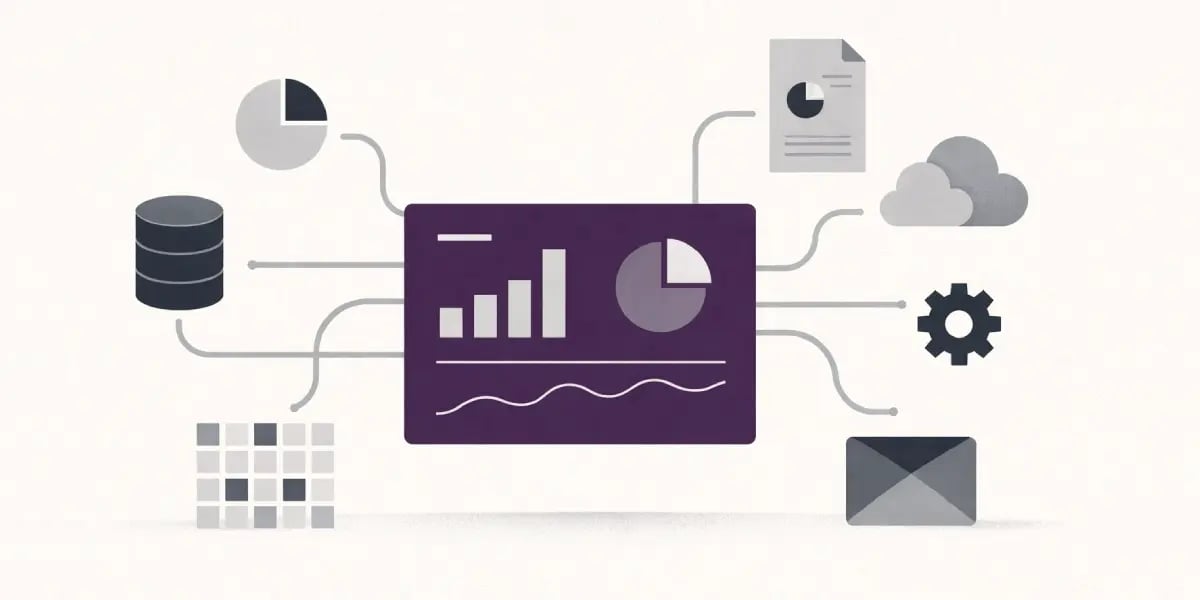
Neglecting data quality silently kills your CRM system’s value, leading to costly CRM mistakes.
Build disciplined data entry and maintenance
Bad data entry habits lie at the heart of nearly every CRM problem. Data entry mistakes, missing fields, duplicate records, stale information, and lack of common standards are the five primary sources of substandard data quality.
When your team enters free-form job titles, abbreviates company names, or leaves required fields blank, you wind up with sloppy, inconsistent data. That junk bogs everyone down. They waste valuable time, dig through multiple systems or screens, and trudge through digital complexity just to accomplish their daily tasks.
Simple structures help a lot:
- Required fields for core contact details
- Drop‑downs instead of free‑text for critical attributes
- Standard formats for phone numbers, addresses, and time zones
Paired with a routine clean-up cadence, those fundamentals minimize imprecise data and decrease redundant records before they accumulate.
Assign real ownership for audits and clean‑up
Dependable customer insight requires regular maintenance, not 'once a year, when it falls apart.' Someone on your team should own data quality as their role, not as a side task.
Clear responsibilities look like:
- Monthly checks for duplicate accounts and contacts
- Quarterly reviews of key segments and active pipelines
- Spot checks on recently imported lists
Assuming only 80% of records are good, a rep processing 150 records a day encounters roughly 30 bad ones. That noise ruins forecasting and pipeline reports that mislead hiring, budget, and inventory decisions.
Set simple, explicit rules for CRM data
Without standards, every manager makes up their own system. That’s when you experience duplicated efforts, inconsistent communications, and confusion in customer records.
You need clear guidelines that cover:
- When and how to merge duplicate entries
- When to remove or archive inactive contacts
- How to update or delete old preferences and timezones
- What “complete” means for a lead, contact, and account
Neglecting data quality. Outdated preferences, incorrect geographic info, or dormant positions result in emails and calls at incredibly early or late local times. Both your team and your customers sense that tension.
Use CRM analytics to track impact, not just volume
Data quality isn’t just a hygiene matter. It impacts sales productivity, financial cost, and long term outcomes. Studies frequently indicate that approximately 10% of revenue per year is wasted due to poor data quality in the form of missed opportunities, bad targeting, and unnecessary labor.
Analytics inside your CRM can surface:
- Bounce rates and invalid phone numbers by source
- Time spent on records that never convert
- Deals are delayed or lost because of missing or conflicting data.
When data appears bad or awkward, people tend to attempt to “correct” the numbers instead of the process. Surveys reveal that approximately 76% of employees report occasionally or frequently adjusting data to narrate to leaders the account they prefer.
Transparent quality metrics ease that stress and allow you to focus on the root causes instead. High quality reduces internal friction. Fewer duplicates, fewer wrong records, and fewer out-of-date contacts translate to less frustration on either side of each interaction.
7. Lack of regular updates

Lack of regular updates quietly eats away at CRM value.
Regular updates keep your CRM in sync with how your business actually operates today, not how it operated a year ago. Customer journeys evolve, product lines pivot, and your team modifies their sales processes. Without scheduled reviews, your CRM workflows and fields become cluttered, leading to crm inefficiency.
A basic beginning cadence is a light monthly check and a more thorough review every six months. For instance, you could audit pipeline stages, required fields, and automation rules. Then, eliminate stale fields that reps never complete and tighten stages that confuse forecasting, all of which are essential for effective crm implementation.
To keep up with tools and standards, your CRM software and integrations require updates, not just for security but for capability. Vendors come out with features that replace manual labor or third-party hacks. A good case in point is built-in email tracking or native WhatsApp integration replacing separate tools, which enhances the overall crm strategy.
When you bypass updates, you remain mired in workarounds. Your team exports data to spreadsheets or retypes info from support tools into the CRM. That compounds overhead and opportunity for mistakes, leading to common salesforce crm mistakes.
Addressees simply don’t read them, or they don’t know how to handle them. Transparent messaging to all users makes new features real behavior change. Brief, targeted communications tend to perform best, such as “New lead assignment rule now sends EMEA leads directly to the regional team, so you answer quicker and eliminate duplicates.
Pair that with a walkthrough video or even a basic 2-page guide. A 30-minute monthly “CRM changes” session can answer questions and surface friction before it spreads, ensuring consistent crm usage across your teams.
Progress tracking closes the loop. Your CRM updates should connect back to business goals you can measure, not just ‘cleaner data’ in theory. Define specific goals, such as lead response time, conversion rate by stage, or average deal value.
Then compare results monthly and quarterly. For example, following the introduction of automatic lead scoring and routing, you should anticipate a 10 to 15 percent rise in qualified opportunities within two quarters. If the numbers aren’t moving, you change the rules, the training, or the process.
That way, you keep CRM changes focused on results, rather than trying stuff to try stuff, ultimately improving your crm performance.
8. Not analyzing CRM data
Not analyzing your CRM data minimizes the true benefit you receive from 'owning' a CRM. Not analyzing CRM data When you don’t analyze CRM data, your team operates in the dark. You miss patterns in customer behavior, opportunities to follow up get overlooked, and responses languish. That typically reveals itself in delayed responses, sporadic communications, and “surprise” lost deals that weren’t really a surprise; they were hidden in the data.To leverage CRM analytics correctly, you begin by identifying specific questions. What is the average length of time for each sales stage? Which channels deliver the most qualified leads? Not analyzing CRM data. For example, you may discover that leads from paid search convert three times better than event leads, or that deals older than 45 days rarely close. Insights like that inform you where to focus effort and budget.
Reports and dashboards provide your team a common reality. Instead of exporting random spreadsheets, you set up a small set of standard views:
- Pipeline by stage, owner, and expected close date
- Win/loss by source, segment, and reason
- Activity and response time by rep and by account
Trend lines over time indicate whether your CRM usage gets better or worse. As duplicate contacts and half-filled records multiply, you experience it in data completeness metrics, not simply when a customer complains.
With CRM information, you improve sales procedures in a calculated manner. For example, you might eliminate one pipeline stage that creates delay but not value, or you introduce an automated nudge when there has been no activity for 5 days on high-value deals. Accurate data helps enable better forecasting. Deal size, close rate, and cycle length become numbers, not gut feeling. This helps executives plan hiring, cash flow, and marketing spend. If you're deciding where automation should start, 17 manual marketing tasks that should have been automated by now can help prioritize the work.
CRM analysis fuels retention. If the CRM plays nice with your other systems, you can track renewal dates, support tickets, and product usage all in one place. Without that integration, you generate silos, which frequently result in stale records, ownership confusion, and reporting blind spots.
Regular review from sales managers and executives keeps it all alive. A weekly dashboard review beats a once-a-quarter deep dive. That cadence helps catch issues early, address training deficiencies, and minimize friction in how folks use the system. Your team ceases “flying blind” and begins trusting the data.
9. Underestimating customer feedback

Underestimating customer feedback means your CRM decisions drift away from what people need. Leverage customer feedback within your CRM system to quantify expectations and satisfaction in a systematic manner. You can record survey results, support tickets, sales call notes, NPS scores, and review information as custom fields or objects.
As a few months pass, patterns emerge. For instance, you might see deals from a particular segment stall when the onboarding experience receives a poor satisfaction rating. That provides you quantifiable indicators rather than intuition. You get a clear sense of where your process delivers and where it falls short, which can help you avoid common CRM implementation mistakes.
Don’t just write reports – turn those insights into specific CRM strategies and product decisions. When feedback echoes the same pain, consider it a must, not static. For example, say several customers comment on how follow-up emails feel disjointed.
Your knee-jerk reaction could be to normalize a follow-up sequence in your CRM software, optimizing timing and content templates. If customers complain they keep repeating context to different team members, you may introduce a shared "customer context" field that sales, support, and success all contribute to and use in their daily work.
Feedback becomes concrete design decisions that address real concerns. Improve your CRM workflows and features according to what customers really feel. When you notice customers confused about next steps after a demo, your workflow can send a clearer summary email and a simple scheduling link.
If support tickets reveal that users infrequently use a feature, you can highlight it more prominently in your lifecycle campaigns or choose to phase it out and concentrate on higher-value functionality. Small workflow shifts, such as cleaner handoffs, better timing, and fewer unnecessary touchpoints, often make a significant lift in satisfaction metrics.
Don’t underestimate customer feedback. Use it as an ongoing audit of CRM performance as markets evolve. Whether it’s new buyer behaviors, pricing pressure, or channel preferences, it shows up in feedback before it appears in your revenue numbers.
For instance, customers may begin requesting messaging support instead of email or shorter contract cycles. You can answer by introducing new communication channels in your CRM, tweaking deal stages, or adjusting scoring rules.
Over time, your CRM becomes a living system that keeps pace with customer reality, not a dead database trapped in last year’s assumptions.
Final thoughts
Avoiding these CRM mistakes is less about pursuing “best practice” and more about constructing a system that aligns with the working habits of your team.
When you personalize with purpose, maintain streamlined procedures, and connect the appropriate systems, your CRM becomes a tool of truth, not another database. Persistent training, explicit adoption plans, and easy guardrails for data quality maintain it usable over time. Regular reviews and updates then help your setup grow with your business and not lag behind it.
To derive real value from your CRM, treat it as a living element of your operations. The more you tailor it to your specific workflows, decisions, and customer feedback, the more it will reward you with clarity and control.
Frequently asked questions
What are the most common CRM mistakes businesses make?
You often see nine mistakes in CRM implementation: not customizing your CRM system, overcomplicating workflows, weak tool integrations, skipping user training, poor adoption plans, bad data quality, no regular updates, not analyzing data, and ignoring customer feedback. Addressing these common CRM mistakes increases ROI and team efficiency.
How can I avoid overcomplicating my CRM processes?
Here’s why to start simple with your CRM strategy. Map your key sales and service steps, then replicate only those in your CRM system. Strip out unnecessary fields and stages to avoid common CRM implementation mistakes. Introduce automation gradually and pilot with users for effective CRM implementation.
Why is user training so important for CRM success?
Without effective CRM training, your team may eschew the system or use it incorrectly, leading to common CRM implementation mistakes such as data omissions and poor lead management. Proper training demonstrates how powerful CRM tools can simplify and accelerate work, promoting consistent CRM usage.
What happens if I neglect CRM data quality?
Terrible data results in common CRM implementation mistakes, leading to incorrect decisions, inefficient targeting, and missed opportunities. You could email the wrong people, misestimate pipeline value, or irritate customers with mistakes. To maintain a cohesive CRM system, set data rules, use required fields, and clean your database frequently.
How often should I update or review my CRM setup?
Audit your CRM system every 6 to 12 months, at minimum. Examine areas, workflows, automations, and reports to identify common CRM implementation mistakes. Cut what your team doesn’t use and align it with your current sales processes and effective CRM tools that support your business needs.
Why is integrating my CRM with other tools so critical?
If your CRM system is siloed, data remains trapped in disparate systems, leading to common CRM implementation mistakes. Your team spends hours on basic CRM tasks, resulting in manual mistakes and poor lead management. Well-integrated CRM tools will centralize customer data, automate workflows, and provide a complete real-time picture of every customer.
How should I use CRM data and customer feedback together?
Utilize a powerful CRM system to analyze customer data, including buying patterns, engagement, and support trends. Instead, leverage their feedback to uncover the reasons behind their behaviors. Combining these insights helps improve offers, messages, and service, ultimately addressing issues and fostering deeper connections.
Best low cost CRM for small business
Discover the best low-cost CRM for small businesses with our in-depth comparison of Zoho CRM, CapsuleCRM, and EngageBay.

5 signs you've outgrown your CRM
5 signs you've outgrown your CRM guide: When to change CRM normally boils down to obvious operational signs in your day-to-day work.

CRM vs marketing automation - what’s the difference? (and which do you need?)
CRM vs marketing automation: what’s the difference, and which one does your business actually need? Learn how they compare and when to use each.