

By David Miguel on Mar 16, 2026
Quick links
Key takeaways
- Leverage automated text messaging software to simplify reminders, confirmations, alerts, and promotions so your team spends less time on manual messages and more time on high-value work. Begin with straightforward use cases, such as appointment reminders and order updates, then work your way up to full campaigns.
- You get more control and consistency with a powerful automation engine to manage triggers, schedules, and bulk messaging. Map out clear workflows for auto replies, drip campaigns, and event-based texts before you create them in the platform.
- You retain higher engagement when you handle your contacts in a central hub with segmentation, tags, and custom fields. Maintain your data hygiene, monitor opt-ins and opt-outs meticulously, and engage each segment with pertinent content.
- You do better when you mix in personalization, rich message types, and clear automation rules. With dynamic fields, behavioral triggers, and custom templates, send messages that feel timely, human, and helpful.
- You make smarter choices by monitoring analytics like delivery, engagement, conversions, and opt-outs. Review reports, compare campaigns, and tune message timing, copy, and audience targeting based on data.
- You select the ideal platform by identifying your requirements, benchmarking features and integrations, piloting scalability and verifying usability with your team. Seek a combination of robust automation and human-friendly controls so automation facilitates not supplants real conversations.
Automated text messaging software is the tool you use to easily send timely, targeted SMS at scale without needing to do it manually every time. You use it to verify orders, send appointment reminders, follow up on leads, and deliver short promotions that your audience really reads.
You get speedier replies, streamlined workflows, and improved tracking across your campaigns. In the following chapters, you learn how to select and deploy it well.
What is automated text messaging software?

Automated text messaging software allows you to send SMS, MMS, and other text messages at scale, either on a schedule or in response to triggers. You write the messages in advance, set the timing or triggers, and the system takes care of delivery, response, and monitoring.
You use it for appointment reminders, lead follow-up, internal notifications, promotions, and operational alerts, without your team manually pushing every send. Strong platforms go beyond basic blasts. They support two-way texting, autoresponders, workflows, and deep integrations with your CRM, marketing automation, and support tools, so messaging becomes part of a unified customer journey rather than a separate channel.
1. The core engine
The automation engine that triggers, schedules, and manages outgoing and incoming messages is the backbone. It monitors events such as a new lead in your CRM, an upcoming appointment, or an abandoned cart, and sends the appropriate text automatically at the time and frequency you specify according to rules you set.
From immediate auto replies to multi-step drip sequences and bulk SMS campaigns to thousands of contacts, it supports workflow automation while managing sending windows and compliance. They’ve developed mature engines that deal with SMS and MMS, very high volumes of messages, routing conversations to the right team and exposing webhooks and API so you can plug texting into existing systems.
For sophisticated SMS marketing, you’ll want customizable logic with branching paths, time delays and check conditions instead of hardcoded linear campaigns.
2. The message types
Common message types include:
- Promotional texts (offers, launches, seasonal campaigns)
- Transactional alerts (order confirmations, delivery updates, password resets)
- Appointment reminders and follow-ups
- Auto replies (keyword replies, out of hours, NPS)
Nearly all platforms support both SMS and MMS, so you can include images, short videos, or PDFs when it improves understanding or conversion. Templates and canned snippets keep messaging consistent across teams and accelerate campaign setup.
As you consider tools, create a quick table mapping message types to use cases, for example, “appointment reminders lead to healthcare clinic and financial advisor” or “internal operations texting leads to field service updates to technicians,” to determine whether a platform fits your actual needs.
3. The contact hub
Your contact hub is your central customer and recipient database, which hopefully syncs with your CRM so you don’t have a bunch of duplicated lists. It captures phone numbers, opt-in status, preferences, and interaction history.
Effective SMS marketing depends on segmentation and list management. You need to group contacts by behavior, lifecycle stage, geography, or product interest, not blast everyone. Look for features like:
- Opt-in/opt-out tracking by keyword and channel
- Group messaging for teams, locations, or segments
- Easy import/export and ongoing sync with core systems
Tagging and custom fields enable you to customize content and fuel automation. A “high-value” tag can initiate a different follow-up sequence, whereas a “trial_ending_soon” field triggers a retention campaign.
4. The automation rules
Automation rules specify when and how to send messages based on triggers and customer behavior. You might send a welcome text after newsletter signup, a reminder 24 hours before an appointment, or an auto reply if someone texts you outside business hours.
Fancier systems support conditional responses, recurring campaigns and event-based notifications tethered to CRM or support events, like “case created,” “quote sent” or “invoice overdue.” Workflow diagrams help you visualize paths, what if a customer says “YES” versus no response, and reduce gaps or conflicts.
This is where distinctions in automation depth come into play, from basic schedules to advanced, multi-branch workflows.
5. The performance data
Performance data usually includes delivery, click and response rates, response time, opt out trends and simple campaign ROI. Our real-time dashboards help you see if today’s SMS marketing push is sticking or if you need to switch up message timing, content or targeting.
You can analyze detailed reports by campaign, segment, and template to inform future activity. By comparing metrics across campaigns, whether it’s reminder timing, incentive size, or copy length, you see what strategies move the needle on revenue, show-up rates, or support resolution times.
Over time, this feedback loop is what turns texting from a “nice channel” into a reliable, quantifiable growth lever.
Essential software features

You need an SMS marketing platform that’s easy for teams to operate and robust enough to integrate into your broader stack. Concentrate on texting tools with clean UX, automation, and a tangible effect on customer engagement.
Campaign tools
So, you want a workspace where marketers design, schedule and manage bulk SMS in minutes, not days. Seek out calendars to plan one-off blasts and recurring campaigns, along with time-zone aware sending so messages arrive at the optimal local hour.
Robust flow automations ought to deal with sign-up, deserted cart and post-purchase triggers throughout SMS, MMS and RCS where supported. The best platforms provide reusable message templates, drip sequences, and built-in A/B testing.
For instance, you could test a 120-character offer compared to a 160-character one, while the system cautions when you breach a single SMS segment to manage expense. Two-way messaging and auto-reply rules are must-haves so you can confirm opt-ins, route questions, and address typical responses, all without lifting a finger.
Segmentation should be like working in a modern CRM. You want to segment by geography, lifecycle stage, purchase history or engagement and exclude unqualified or inactive contacts. Robust database management utilities, merging duplicates, scrubbing bad numbers, and tracking opt-ins, directly improve deliverability and ROI.
Use this checklist when comparing campaign tools:
- Visual campaign and drip builders
- Time‑zone aware scheduling and throttling
- Templates with character‑count and segment warnings
- Bulk SMS and MMS support
- List segmentation and suppression lists
- Auto‑replies and keyword workflows
- A/B testing for copy and send times
Personalization
Personalization goes beyond just using [First Name]. Dynamic fields allow you to pull in names, order IDs, and delivery dates into each text message, sourced from your contact list or CRM. For example, a shipping update could say, ‘Maria, your order #48291 ships 12 June.’ Utilizing an effective text message marketing service can enhance this experience significantly.
Segmentation and behavioral triggers play a crucial role, often outweighing clever copy. You need to leverage SMS marketing platforms to send flows based on last purchase dates or customer engagement, such as re-engagement offers for those inactive for 60 days.
When personalization is rooted in behavior and value, you achieve better open rates and long-term retention. Relationship-based automations, like automated birthday or anniversary messages, can strengthen customer engagement with minimal effort.
Keep these messages brief and within an SMS segment to remain cost-efficient yet still personal, maximizing the benefits of your texting service.
Integrations
Your text platform should reside neatly within your current martech stack. Native integrations with CRM, ecommerce, and email tools are non-negotiable if you want seamless customer journeys and actionable reporting.
Integration is what allows you to act on actual customer data rather than uploading CSVs every week. Bidirectional syncing keeps contact data aligned. Opt-outs update your CRM, new contacts from your website flow into SMS lists, and purchase events from your ecommerce system trigger post-purchase sequences.
You need to be able to orchestrate cross-channel workflows, like sending an SMS if an email is unopened after 24 hours. You want dependable API access for use cases your vendor has not pre‑fabricated. Here, you can wire custom events from your product, internal tools, or custom dashboards.
Focus on vendors that present well, that have good documentation, reliable uptime, and sandboxes. Core integration categories to check:
- CRM platforms
- Email marketing tools
- Ecommerce systems
- Web and product apps
Analytics
Analytics needs to advance past simple send and delivery counts. You should track delivery rate, response rate, click-through via tracked links, conversion rate, and revenue per message or per campaign.
Data ought to be accessible in real time on dashboards, easily filtered for segment, channel, and campaign type. Exportable reports are essential for deeper analysis. Your team must be able to push scheduled reports out to stakeholders, stream data into BI tools, or join SMS results with email and paid media performance.
That’s how you put SMS in the context of the broader funnel, not as an isolated opportunity. Trust and regulation mean compliance metrics are key. Track unsubscribe rates, spam complaints, and opt-in source to detect problems early.
Great platforms assist you in implementing consent regulations by nation, storing audit trails, and controlling quiet hours so you don’t text at the wrong times. Use analytics to close the loop on strategy. Cut low-engagement campaigns, reallocate budget to high-ROI flows, and optimize timing, cadence, and message length with data, not intuition.
How to choose the right platform

You choose SMS software, such as popular SMS marketing platforms, the same way you select any core martech: start with your business problem, then work backward to features, integrations, and cost. Determine what you need to automate, measure, and how text message marketing integrates into your wider CRM, email, and ad stack.
Define needs
Start by framing four core questions:
- Text volume – How many messages per month, to how many markets, and what growth 12 to 24 months out. High-volume brands require throughput guarantees and carrier-grade routing.
- Message types – Are they campaigns, transactional alerts, two-way support, or all three? Abandoned cart flows, for example, need different logic than delivery notifications.
- Required automations – What journeys do you need to automate (welcome, re-stock, win-back, renewal, NPS)? Do you require AI-driven flows that react to behavior and optimize send time for each user?
- Compliance needs – Which regions do you target and which rules apply, such as TCPA, CTIA, and GDPR? How will you handle consent, opt-outs, and audit trails?
Map your existing workflows across marketing, support, and operations to identify where manual texting or email is holding you back. Then rank use cases: revenue-driving campaigns, service notifications, or support conversations. Your number one, number two, and number three priorities should inform your preliminary feature shortlist and budget.
Evaluate features
Compare platforms against a clear baseline:
Search for SMS automation, two-way messaging, and native integrations with your CRM, ecommerce, and analytics tools so data flows in both directions. You want compliance readiness built-in: consent collection, opt-out automation, regional rules, and clear alignment with TCPA and CTIA guidelines.
Template libraries, bulk send controls and auto replies matter more than you think. They establish the standard for fast, branded, mistake-free work across multiple teams. Finally, skim public signals such as G2 satisfaction scores and reviews for mentions of reliability, quality of support and real-world deliverability.
Assess scalability
It’s not just text messaging that needs to scale; you require reliable performance as your contact list, nations, and programs grow. Ask vendors how they manage burst events such as product drops, seasonal sales, and emergency notifications. Inquire about the throughput guarantees or SLAs they provide for their text message marketing services.
Look for pricing that scales cleanly. Transparent message rates, clear surcharges by country, and contracts that roll over unused messages rather than punishing you for conservative forecasting are crucial for any sms marketing platform. Enterprise plans ought to back role-based access, SSO, numerous workspaces, and comprehensive reporting, not merely bigger message quotas.
Verify that you can seamlessly add new channels, such as WhatsApp, new integrations, or new brands without having to start from scratch. A flexible API, webhooks, and a mature integration marketplace are all good indications that the platform can grow alongside the rest of your stack.
Test usability
Before signing, have real users run structured trials: set up a welcome flow, a re-stock reminder, and a simple two-way support scenario. Navigation should seem natural, with transparent UX, not hidden options or convoluted redirection policies.
Designing segments (VIP retention, new leads, dormant customers, etc.) should take minutes, not hours, and automation builders should enable non-technical marketers to create branching flows without developer assistance. Robust platforms will provide AI helpers that recommend send times, subject variations, or next-best actions while keeping controls transparent.
Look at documentation, implementation guides, and training. If support is slow or fuzzy in trial, it won’t be better under fire. Engage daily operators in scoring usability. They will bring friction points to the surface more quickly than leadership.
The human side of automation

Automation in text messaging should make your customer interactions more human, not less. The best tools provide speed and scale without sacrificing warmth, context, or judgment.
Compassionless efficiency frequently rings hollow. A quick, on-time text message that seems impersonal or formulaic won’t advance the relationship. You want automated flows that sound like a thoughtful human, not a script.
That begins with simple language templates, brief sentences, and a warm personality that suits your brand. Use the customer name. Reference what they actually did: a booked demo, a missed delivery, an abandoned cart. When a message clearly echoes a past interaction, customers feel observed, not mechanized.
Auto replies need to validate emotion and information. For example:
- Order delay: “Sorry your order is taking longer than expected. We’re on it and will get back to you within 24 hours.”
- Failed payment: “Your payment didn’t go through. Don’t sweat it. Here’s a safe link to give it another go.”
You need explicit guidelines for when humans intervene. Automated text is bad at nuance around complaints, billing disputes, or health and financial topics.
Build triggers that route to a person when:
- Sentiment turns clearly negative
- A customer responds more than two to three times in a thread.
- The topic touches risk, safety, or strong emotions
Customers love to know a real person is there when automation is not sufficient. A prominently displayed “Text back for human support” line can generate genuine trust.
Automate triage, not to wall off your team. Pair SMS journeys with live chat, phone, or WhatsApp so you can transfer people into richer channels when necessary.
Restrict run-of-the-mill campaigns to a couple of messages a month or one to two a week. That cadence honors attention and keeps unsubscribe rates in check.
Conclusion
Automated text messaging software gives you reach, speed, and consistency that manual workflows just can’t compete with. Mix in clear strategy, clean data, and thoughtful message design, and it becomes a dependable engine for revenue and retention.
The strongest platforms help you:
- Trigger timely, relevant messages from your existing systems
- Keep compliance and consent under control
- Maintain a human tone, even at large scale
Your smartest move going forward is to outline a few key high-impact journeys, put vendors to the test against those use cases, and begin with a limited rollout. With that approach, you avoid noise, protect your brand, and turn SMS into a reliable measurable component of your customer communication stack.
Frequently asked questions
What is automated text messaging software and how does it work?
Automated text messaging software enables you to run SMS marketing campaigns and send reminders effortlessly, without typing each message. You compose text messages, define triggers or timing, and the texting service dispatches them automatically to your contacts based on time, actions, or workflows.
What key features should I look for in automated text messaging software?
You want to seek out automation workflows, segmentation, and two-way messaging within an SMS marketing platform. Compliance tools, reporting, and easy integrations enhance your text message marketing campaigns, allowing you to deliver the appropriate message to the right individual at the right moment.
How do I choose the right automated text messaging platform for my business?
Begin with your objectives and message load when selecting an SMS marketing platform. Then compare pricing, deliverability, ease of use, and integrations with your CRM or ecommerce tools. Lastly, test customer support and security standards to ensure the texting service can grow with your business.
Is automated text messaging software compliant with privacy laws?
To effectively run marketing campaigns, you need to obtain explicit consent, provide simple opt-outs, protect data, and comply with laws like GDPR or TCPA. A trusted SMS marketing platform offers built-in tools to ensure compliance and safeguard your contacts’ privacy.
Can automated text messaging still feel personal to my customers?
Yes. You can customize text messages with names, purchase history, and behavior triggers. When you pair automation with a strong brand voice and useful content, your text message marketing campaigns come across as relevant and human, not robotic or spammy.
What types of messages can I automate with texting software?
Automate welcome, appointment, order, payment, event, support, and review SMS using a text messaging service. These sms marketing platforms keep customers updated, eliminate no-shows, and increase response times with minimal manual work.
How do I keep the “human touch” while scaling SMS automation?
Automate the timing and delivery of your text message marketing campaigns. Write in plain old natural language, providing explicit value in each message. Encourage responses and direct critical replies to live staff while monitoring performance on your SMS marketing platform.
8 must have marketing tools for small business
8 essential marketing tools for small business success, tailored to drive your growth and streamline your efforts.
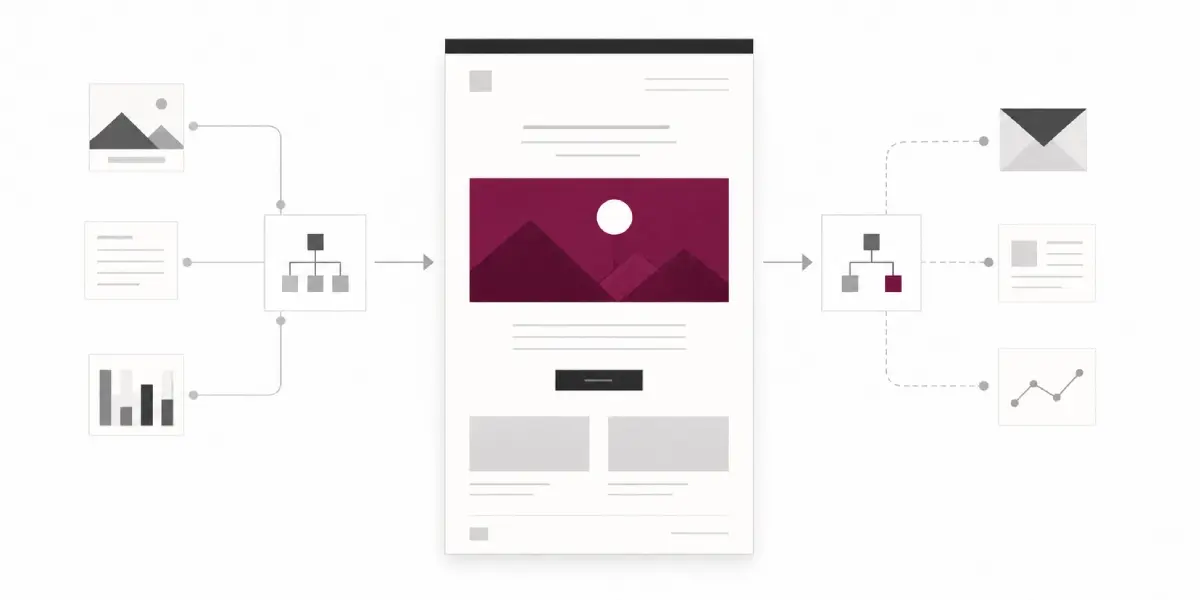
Maximize your results with these powerful email marketing automation tools
Top email marketing automation tools designed to increase engagement and streamline your campaigns for maximum impact.
Maximize your sales with B2B lead enrichment software solutions
Increase your sales with our innovative B2B lead enrichment software, designed to identify and engage high-quality leads effectively.