

By David Miguel on Jan 23, 2026
Quick links
Key takeaways
-
Small businesses can extract huge value by beginning with trusted CRMs such as HubSpot, Zoho, or Pipedrive that provide transparent sales pipelines, contact management, and automation. Selecting a tool with a brief learning curve allows teams to embrace the system swiftly and benefit from immediate results.
-
Automation capabilities in Zoho, Freshsales, and Salesforce Essentials minimize manual effort by managing tasks such as lead scoring, follow-up reminders, and workflow triggers. Automating these processes allows small teams to spend more time building relationships and closing deals.
-
Integrations with email, calendars, accounting tools and marketing platforms in CRMs like Copper, Insightly and Bitrix24 create a connected tech stack. This combined setting helps organizations keep correct, present customer information without ceaseless manual updates.
-
Data visibility via customizable dashboards and reporting in HubSpot, Insightly, and Salesforce Essentials supports better decision-making. Small business owners can track sales performance, customer engagement, and campaign results in real time, allowing them to pivot strategies quickly.
-
CRMs that combine communication tools, like Freshsales, Nimble, and Keap, bring together emails, calls, chat, and social interactions in a single location. This unification improves customer experience by providing any team member with complete context before contacting a lead.
-
Choosing the best CRM depends on your current toolset, sales process complexity, and your growth plans, which is why it’s crucial to try a few with their free trials or free tiers. By mapping your core needs to each platform’s strengths, you can select a system that will grow with your business rather than outgrowing your tools.
CRM tools for small business are software platforms that help small teams organize contacts, track deals, and keep customer communication in one place. For most small companies, a CRM replaces spreadsheets and scattered email threads with a shared view of leads and customers. Good tools in this category usually combine simple automation, basic reporting, and integrations with email, calendars, invoicing tools, and web forms. If budget is a major factor, our guide to the best low-cost CRM for small business is a useful next read before you shortlist tools.
1. HubSpot CRM
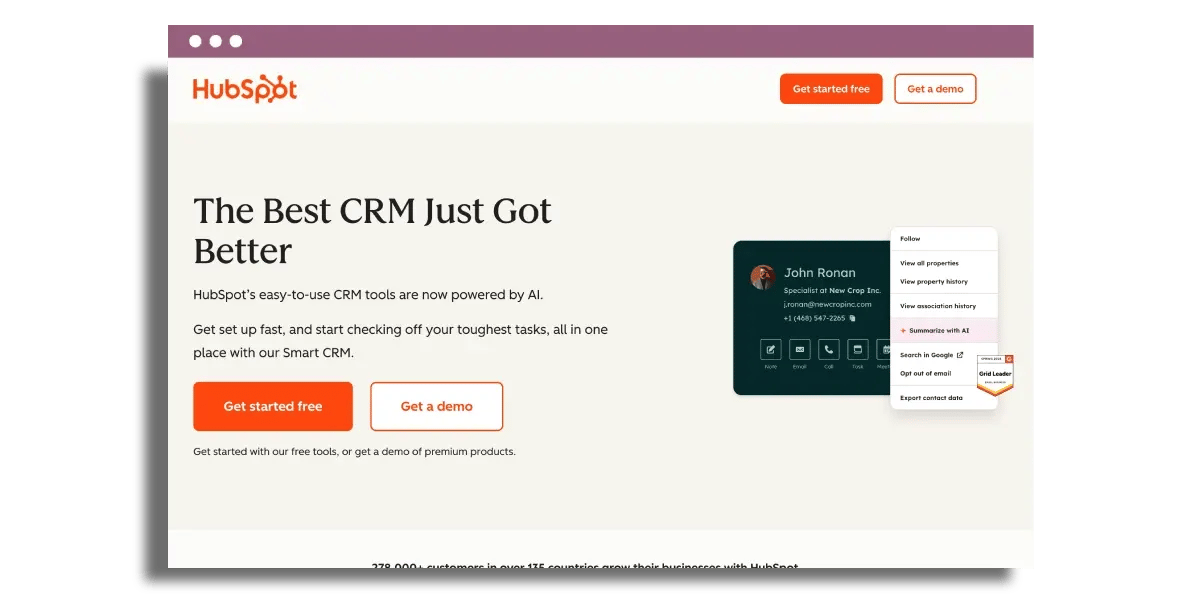
Summary: A free, easy-to-use CRM with contact management, pipelines, and strong integrations for small teams.
Best for
- Small teams moving off spreadsheets or inbox-based sales
- Businesses that want a low-friction CRM with room to scale
What it does
- Contact, company, and deal tracking
- Email, call, meeting, and notes timeline per contact
- Basic sequences/templates for follow-up
- Dashboards and basic custom reporting
Strengths
- Strong free layer with generous limits
- Large integration ecosystem (e.g., Zoom, Shopify, Slack)
- Fast onboarding for non-technical users
Limitations
- Advanced automation and deeper reporting require paid hubs
- Costs can rise with added hubs, features, and scale
Pricing snapshot
- Free plan: Yes (core CRM features)
- Paid plans: Start around entry tiers; higher tiers scale by hub and user count
Use case: Best when you want a simple system of record for sales activity and pipeline visibility, with the option to add marketing/service later.
Read on if this aligns with your business needs.
HubSpot provides a free, useful CRM that combines contact management, pipeline tracking, and basic email marketing.
HubSpot’s free CRM works well as a central database for contacts, companies, and deals. All emails, call logs, meetings, and notes sit on a single timeline for each contact, so context is always visible for any member of your team. A small agency, for instance, can track a lead from an initial website enquiry through to proposal and renewal without bouncing between tools. The free plan includes non-expiring core CRM features, up to 1 million contacts, and unlimited users, giving small teams room to grow before hitting paid plans. Easy email templates and lightweight sequences also make it easier to follow a more structured lead process. If that side of the workflow matters most, pair this with our guide on small business B2B lead management strategies.
Integration is at the core of HubSpot’s strategy. It integrates with hundreds of apps such as Zoom, Shopify, and Slack. This means calls scheduled in Zoom, orders placed in Shopify, or notifications in Slack can all link back into a single contact record. Legacy software frequently comes along via organized migration assistance, meaning a team that once relied on spreadsheets and disconnected email tools can import that record into HubSpot rather than begin anew. A built-in sales dialer and support for marketing automation tools help weave a single workspace for sales and marketing, rather than two disconnected stacks.
Getting started typically feels straightforward for non-technical users. The setup wizard, default pipelines, and clean layout minimize the learning curve, particularly for small businesses that lack an in-house CRM admin. A three-person sales team, for example, can go from sign-up to logging calls and deals in a single afternoon. There is a free base layer plus a 14-day trial for paid “hubs” like Marketing, Sales, or Service, so teams can test more advanced automations or sequences before committing. Starter plans start at about $20 per month per user, with pro and enterprise levels approximately $450 to $3,600 per month depending on hub and user count.
Reporting and dashboards remain fairly accessible. The main dashboard provides a summary of open deals, recent activity, and basic performance metrics following a brief setup. Users can construct up to 10 custom reports on the free plan, which typically covers core needs such as conversion rates by stage, email engagement, or rep performance. Real-time views of sales activities, customer interactions, and live campaigns help small businesses track what works without exporting data to spreadsheets every week.
2. Zoho CRM
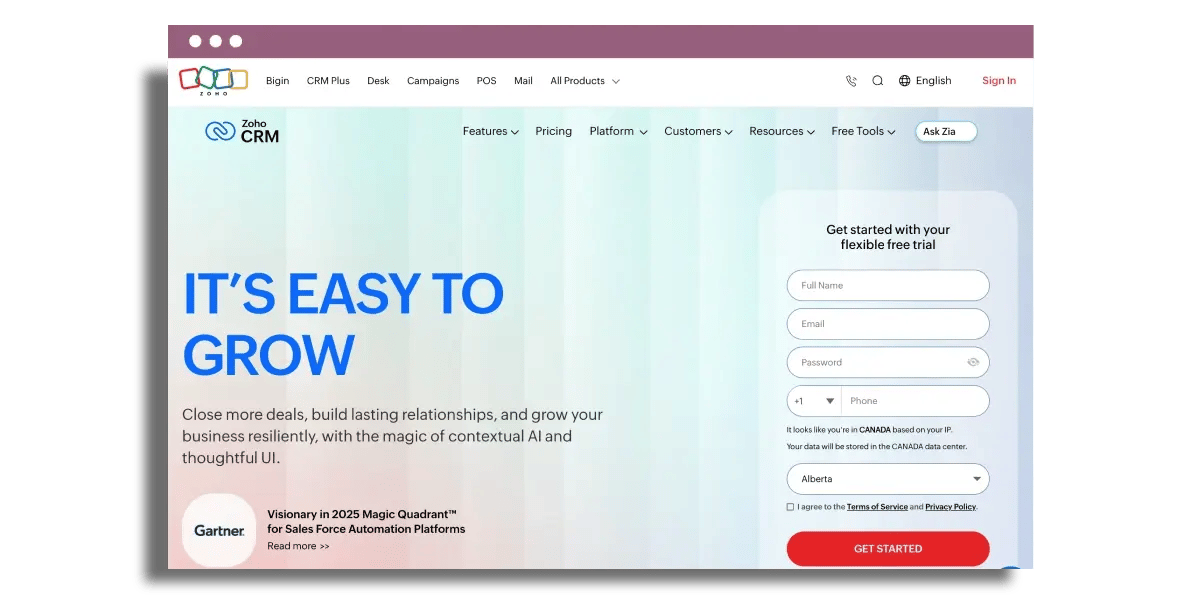
A budget-friendly CRM with strong workflow automation and flexible customization for small teams.
Best for
- Owner operator sales or small teams that want automation early
- Teams that want flexibility without enterprise pricing
What it does
- Lead capture and assignment rules
- Workflow automation for follow-ups and pipeline updates
- Contact and activity timeline (email/calls/chat)
- Custom fields/modules to fit your process
Strengths
- Automation-first approach for day-to-day efficiency
- Scales from a free start into more advanced plans
- AI assistance (Zia) for lead scoring and deal signals
Limitations
- Can require setup time to get workflows right
- Advanced features and deeper analytics sit in higher tiers
Pricing snapshot
- Free plan: Yes (limited users)
- Paid plans: Scale per user across tiers
Use case: Best when you want a CRM that can handle structured lead routing, follow-ups, and process-driven sales without a big upfront cost.
Read on if this aligns with your business needs.
Zoho shines for small teams seeking serious capability without serious upfront investment or complexity.
Zoho CRM feels budget-friendly at the outset and remains viable as you grow. It supports up to 3 users on the free plan, so a tiny sales team or founder-led operation can test real workflows before committing. Paid plans then scale in increments of around $14 per user per month through to Professional, Enterprise, and Ultimate. This means a team can begin on the free or Standard plan and only upgrade when automation limits, analytics, or advanced features start to matter. For a local services business or small agency, this staged pricing avoids a huge leap from “spreadsheet” to “enterprise” level spend. It is also one of the stronger options if you are specifically comparing low-cost CRM tools for small business.
On the workflow side, automation is at the core of everything Zoho does. Lead capture, assignment and follow up tasks can all run automatically based on rules, so leads from web forms or ads flow straight into the CRM with clear owners and next steps. For example, a new contact form inquiry can set off an email sequence, a sales follow-up task, and a deal pipeline update without clicks. Zoho backs automated, personalized marketing campaigns, allowing a small team to run lead nurturing and basic segmentation without immediately purchasing a separate marketing tool.
Customer data resides in one spot and refreshes across channels, which minimizes a lot of context-switching. The platform keeps contacts, deals, activities, and communication history, and it links emails, calls, and chat messages back to the same record. Sales reps can open any contact and view all email threads, call logs, and chats in one timeline. Integrations with tools like email providers, telephony, and other Zoho apps help keep that view full. Customizable fields and modules assist the system in reflecting specific industries or processes, whether a group tracks projects, service tickets, or subscriptions.
AI assistance with Zia brings more organization and concentration to everyday work. Zia’s predictive lead scoring helps rank leads based on behavior and history, so reps can prioritize contacts most likely to convert. Zia flags deals at risk, for example, opportunities with no recent activity, and highlights high-value records that require immediate attention. In the long run, that direction helps provide improved pipeline visibility and more consistent forecasting, as managers know exactly where each lead and deal sits without any cumbersome spreadsheet labor.
3. Salesforce Essentials
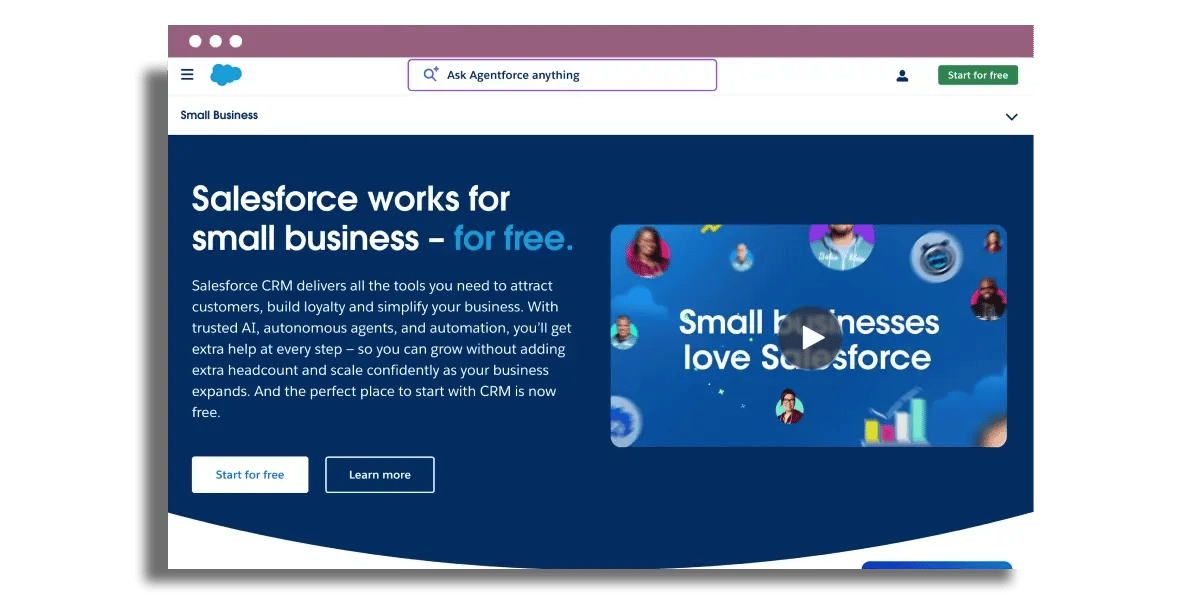
A streamlined entry point into the Salesforce ecosystem for small businesses that want structure and reporting.
Best for
- Teams that want Salesforce compatibility and upgrade path
- Businesses needing solid CRM fundamentals with automation
What it does
- Leads, accounts, opportunities, and tasks in one system
- Email logging and follow-up reminders
- Rules for lead assignment and basic automation
- Reports and dashboards for pipeline visibility
Strengths
- Clear upgrade path into broader Salesforce products
- Strong CRM foundation with proven workflows
- Good consolidation across sales/support basics
Limitations
- No free plan
- Can take longer to onboard than simpler SMB CRMs
Pricing snapshot
- Free plan: No
- Paid plans: Typically priced per user/month (entry tier)
Use case: Best when you want Salesforce-style structure now, with the option to grow into more advanced Salesforce capabilities later.
Read on if this aligns with your business needs.
Salesforce Essentials provides enterprise-style CRM structure in a svelter small-business package. Essentials will work well for teams that want the Salesforce ecosystem without the cost and complexity of the full platform.
Salesforce Essentials arrives as a tailored version of the larger Salesforce platform, constructed for small businesses that require comprehensive CRM coverage. The product itself frequently appears as “Salesforce Lightning Essentials,” which confuses purchasers since it sounds like a separate edition. In practice, Essentials serves as the gadget tier within the Salesforce family. That counts for enduring value as well, as a company could start with a more basic configuration and transition into Sales Cloud or Service Cloud later without having to migrate away from the provider. The base experience remains the same, just with more sophisticated modules layered on.
For daily hustle, Essentials drives sales, support, and contact management on a unified dashboard. Sales reps get a single place to see leads, accounts, open opportunities, tasks, and recent email activity. It automates manual steps like logging emails, follow-up scheduling, and lead assignment, reducing time spent updating spreadsheets or disconnected tools. For instance, a team can pipe all new web inquiries into Essentials, auto-assign them by region, and trigger task reminders if no one replies within 24 hours. That minimizes lead leakage and maintains clear pipeline visibility.
Integration support is a big part of how Essentials fits into an existing stack. It plugs into tools such as Outlook email and calendar, QuickBooks for some light financial context around customers, and typical marketing tools to sync contacts and campaign information. When a sales rep opens a contact, the record can display recent emails, historical meetings, associated invoices, and marketing activity. That kind of consolidation reduces context switching and gets teams working from the same shared customer image.
On the analytics front, Essentials gives you access to contact records, opportunities, and customizable reports and dashboards. Managers can monitor conversion rates, deal velocity, and forecasted revenue, despite a narrower report range than the upper Salesforce tiers. The forecasting tools continue to provide useful glances at trend lines for small teams planning hiring or marketing spend. Pricing is about $25 per user per month, with standard monthly billing around $35 per user and no free plan. New users will require time to get used to Salesforce-style workflows, and some will find the reporting options limiting. Small businesses get an interface that’s intuitive with strong calendar and email capture, alongside a transparent upgrade path into the broader Salesforce universe.
4. Pipedrive
A sales-focused CRM built around a visual pipeline for teams that want simple, consistent deal management.
Best for
- Sales teams that live in a pipeline view
- SMBs that want fast setup with practical automation
What it does
- Visual deal pipeline management
- Activity tracking (tasks, calls, notes, docs)
- Basic workflow automation for follow-ups and stage changes
- Reporting on conversion and stage velocity
Strengths
- Highly usable pipeline interface
- Good for keeping reps focused on next actions
- Large integration marketplace
Limitations
- Some key features vary by plan (e.g., email sync/automation depth)
- May not suit complex, multi-department CRM requirements
Pricing snapshot
- Free plan: No
- Paid plans: Entry tiers available per user/month
Use case: Best when you want a straightforward, sales-led CRM that keeps pipeline movement and follow-up discipline front and center.
Read on if this aligns with your business needs.
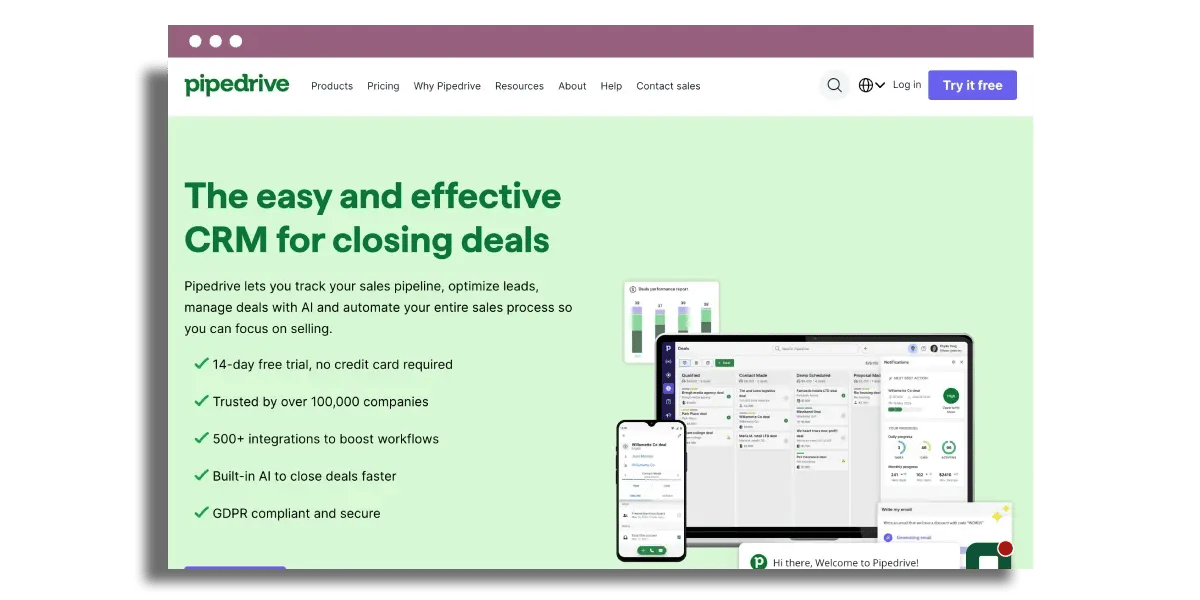
Pipedrive is notable for its clear visual pipelines, straightforward automation, and powerful integrations, all of which fit small sales teams quite well. This customer relationship management platform is particularly effective for managing sales processes and maintaining strong customer relationships.
Sales activity in Pipedrive revolves around a visual pipeline that displays deals as cards moving across columns. The pipeline view opens first, so reps see their workload and priorities immediately without digging through menus. Lead information updates directly on that board, so deal value, close probability, and next steps stay together. It runs in the browser and on mobile, allowing teams to access customer enquiries and essential data from anywhere. If a big chunk of your leads starts with website forms, pairing your CRM with the right capture setup matters too, which is where our guide to web-based form builders can help.
Daily work within a deal record remains highly targeted. Users can add activities, log calls, drop notes, share documents, generate follow-up deals, record everything, and maintain a complete email history—all on one page. For instance, a rep can open a deal, view the most recent email, schedule a call for tomorrow, and upload a quote without changing screens. That layout minimizes friction and helps smaller teams maintain proper context when they deal with dozens or hundreds of conversations weekly, making it an effective CRM tool for small business needs today.
Automation in Pipedrive is practical and focused on repetitive sales tasks rather than bloated back-office workflows. Users can build simple rules to remind reps when new leads come in, move deals to a new stage after a call outcome, or trigger follow-up emails after a proposal is sent. Those automatic reminders keep opportunities moving and reduce the risk of a lead going cold because no one followed up. The platform also centralizes multi-channel data, pulling in web form submissions, emails, and calls, which saves teams from spending hours copy-pasting into spreadsheets. If improving that handoff from enquiry to deal is your bigger issue, our article on small business B2B lead management strategies goes deeper on the process side.
Sales stages remain flexible, meaning businesses can reflect their real process. A small B2B team, for instance, could use stages like “Qualified,” “Demo booked,” “Proposal sent,” and “Verbal yes.” Email tracking and optional sync, which is not available on the entry Lite plan, help users view opens and replies in context. Built-in reporting spans conversion rates, stage velocity, and activity metrics so owners and managers can identify where deals stall and optimize staffing or scripts based on data, not intuition.
Pricing and limits are important for long-term value. The Lite plan comes in at approximately $14 per user per month, which certainly helps on budget, but it lacks crucial features like full email sync and more advanced automation. Bigger sales databases require caps. Pipedrive supports up to 300,000 active deals and leads per organization, which is sufficient for the majority of small and mid-size teams, but not great for super high volume inbound operations.
Integration coverage is among Pipedrive’s unsung virtues. The marketplace boasts over 500 apps, featuring connectors for project management, marketing automation, and ecommerce tools. For instance, a deal closed in Pipedrive can kick off a project in Trello or Asana, an onboarding email journey in a marketing tool, or an order in an ecommerce system. When configured properly, Pipedrive transforms itself into a sales command center as opposed to yet another siloed database, making it one of the more popular CRM solutions available today.
5. Freshsales
Summary: An all-in-one CRM with built-in communication tools and AI-assisted lead scoring for small teams.
Best for
- Teams wanting an all-in-one sales workspace
- Businesses that value built-in phone/chat/email logging
What it does
- AI-based lead scoring and insights
- Contact and deal timeline view
- Workflow automation for assignment and follow-up
- Sales analytics for conversion and velocity tracking
Strengths
- Strong 360-degree contact view
- Automation reduces manual updates
- Built-in communication keeps activity logged
Limitations
- Customization can feel limiting for some setups
- Pricing/packaging can be confusing as needs grow
Pricing snapshot
- Free plan: Often available for small user counts (varies by offering)
- Paid plans: Tiered per user/month
Use case: Best when you want a modern CRM that combines pipeline management, communications, and scoring without stitching multiple tools together.
Read on if this aligns with your business needs.
Freshsales is an all-in-one CRM that provides small teams with modern sales tools, transparent visibility, and quick setup without overwhelming you.
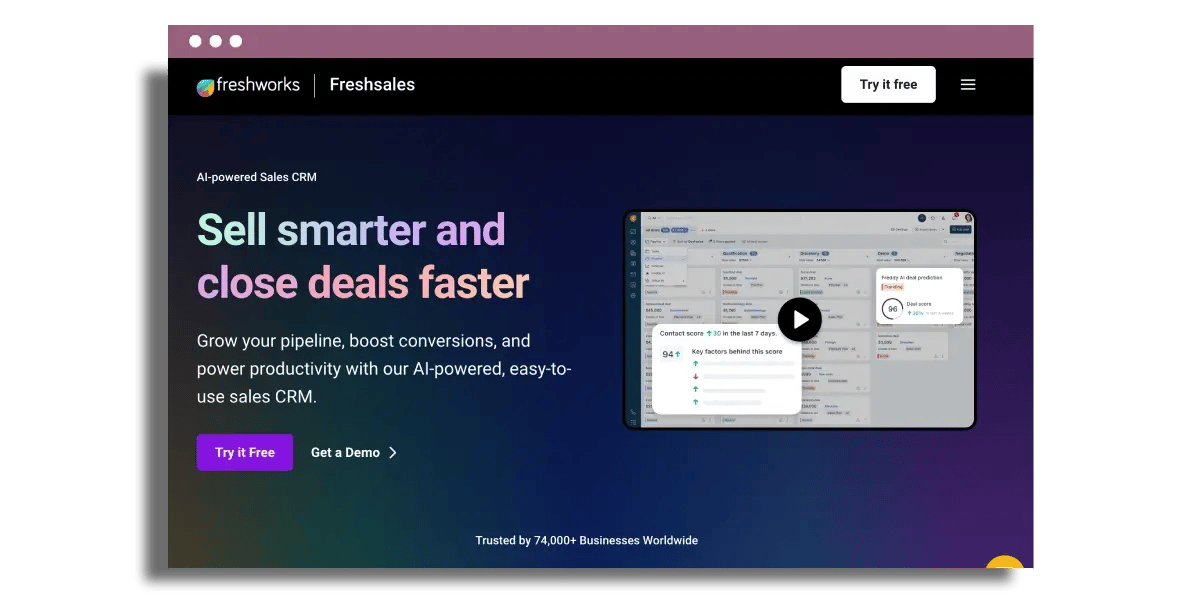
Freshsales powers a modern CRM setup with an AI twist that emphasizes tangible results. AI-powered lead scoring assists reps in identifying which leads should receive priority attention, considering elements such as email engagement, website activity, or deal value. A small agency can prioritize inbound demo requests and return same-day with its most interested prospects. Sales analytics report on conversion rates, deal velocity and win/loss trends in real time, so owners and managers don’t have to export spreadsheets or create reports from scratch. Workflow automation takes care of repetitive work, like assigning new leads, sending follow-ups, or updating deal stages when conditions are met, so you don’t have to worry about data entry or missed steps.
Customer data management is a key strength. Freshsales provides a 360-degree contact view by aggregating profile information, interaction history, activities, and deals. Emails, calls, notes, and tasks sit on a single timeline, so any team member can quickly understand where a prospect is in the buying journey. Pipelines reflect live deal stages, values, and probabilities, allowing teams to forecast planning and identify bottlenecks early. The interface seems intuitive and clean, so small teams can launch and commence working within hours rather than weeks. The free plan for up to three users works well for early-stage teams that primarily require contact management and simple deal tracking.
Integration coverage backs a connected sales and marketing ecosystem. Freshsales connects with over 100 apps, like email marketing, calendar tools, and document signing. A team may hook up Google Calendar, Mailchimp, and a contract tool so meetings, campaigns, and signed deals stream into the CRM. The platform incorporates feature-rich base plans and project management, which minimizes the requirement for additional tools if a business desires a unified solution.
Communication tools have a more direct impact on customer experience. Built-in phone, chat, and email enable teams to reach out from within the CRM and keep every touch point logged. Support and sales can view the same conversation history, reducing repeated inquiries and enhancing response quality. Freshsales spices up that data with AI insights like predictive scoring and suggested next steps, fueling follow-ups that feel timely and relevant instead of random.
Trade-offs exist. A few users mention confusing pricing and feel customization can be restrictive relative to some higher-end enterprise CRMs. For a lot of little teams, that blend of ease-of-use, automation and connected tools continues to provide solid long-term value.
6. Insightly
A CRM that connects sales and project delivery, suited to service teams that want CRM + project context in one place.
Best for
- Service businesses that manage delivery after the sale
- Teams that want CRM records connected to projects and milestones
What it does
- Link contacts, organisations, opportunities, and projects
- Workflow rules for tasks, reminders, and milestones
- Integrations with common business apps
- Custom reports and dashboards
Strengths
- Good fit for CRM-to-delivery workflows
- Flexible fields/layouts for different processes
- Strong integration coverage for SMB stacks
Limitations
- May require configuration to match your exact process
- Can be more than needed if you only want a simple pipeline
Pricing snapshot
- Free plan: Typically limited or trial-based (varies)
- Paid plans: Tiered by features/users
Use case: Best when you want your sales pipeline and delivery/project tracking connected so context doesn’t get lost after the deal closes.
Read on if this aligns with your business needs.
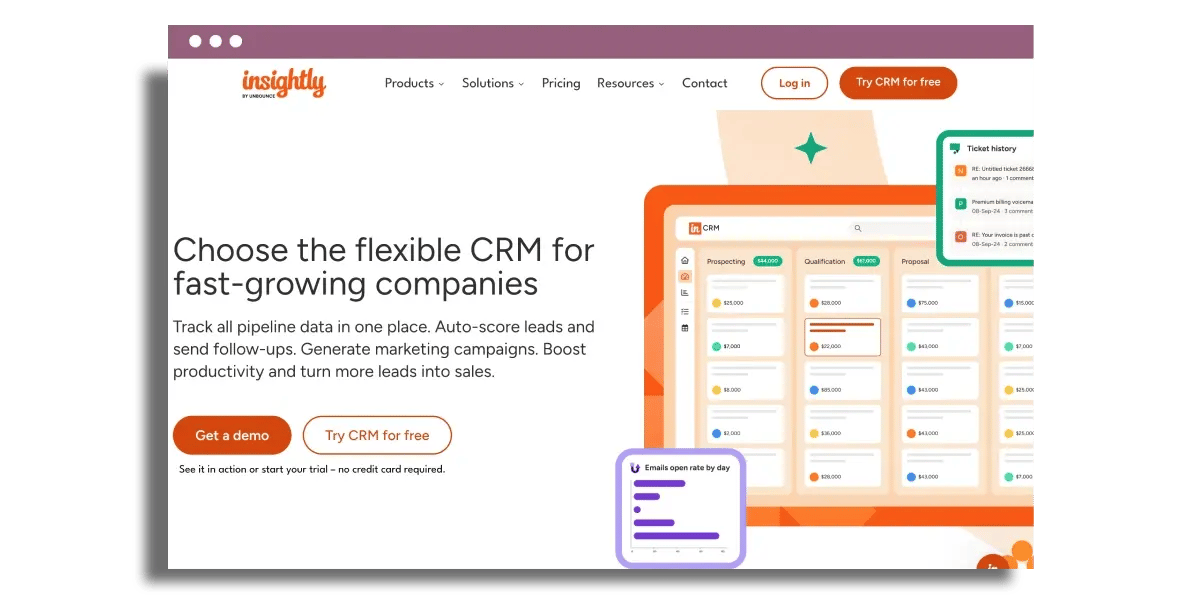
After that, Insightly impresses for folding contacts, sales, opportunities, and projects into one place that still feels airy enough for a small team. The CRM system is at its center and then pulls in marketing and customer service features, so your daily view of a customer is more holistic and less fractured across tools. This approach is particularly effective for businesses looking to streamline their customer relationship management processes.
Contact management in Insightly connects contacts, organizations, and related opportunities or projects in a straightforward manner. A sales opportunity can sit alongside the associated project delivery record, with common notes, files, and email exchanges. For instance, a small agency can follow a new client lead, the signed contract, and the delivery project stages in a single workspace rather than bouncing among a CRM, a project tool, and a shared spreadsheet. Its interface is customizable, allowing fields, page layouts, and views to be suited to the way a given business operates rather than imposing a strict sales pipeline.
Workflow management in Insightly relies on automation, reminders, and milestones. Users can configure rules that generate tasks when a deal advances a pipeline stage, send follow-up emails after form submission, or refresh project information with completed milestones. A consulting firm could auto-generate a checklist when a proposal is accepted, with task reminders for kickoff calls, onboarding, and invoicing. This flexible CRM approach ensures that small teams don’t require a full-time admin to keep fundamental workflows humming.
Integration coverage is a strong suit. Insightly delivers out-of-the-box integrations for over 200 common business applications such as popular CRM software, leading email platforms, and cloud storage providers. This centralizes important business information so invoices, email threads, and documents can all tie back to the same contact or opportunity record. For a small business already operating on tools like Xero, Gmail, and Google Drive, that amount of integration reduces friction and helps keep processes manageable as the company scales.
Reporting and dashboards in Insightly edge into enterprise-grade data visualization. Users can create custom reports that measure sales performance, pipeline conversion, campaign outcome, or project delivery times and then display those in dashboards that refresh in real-time. A small sales team can track win rates by source, average deal size by segment, and project margins all on one screen. The CRM model begins from a targeted nucleus and provides a transparent route to extend functionality as the business grows. Therefore, investment in Insightly generally retains worth over time.
7. Nimble
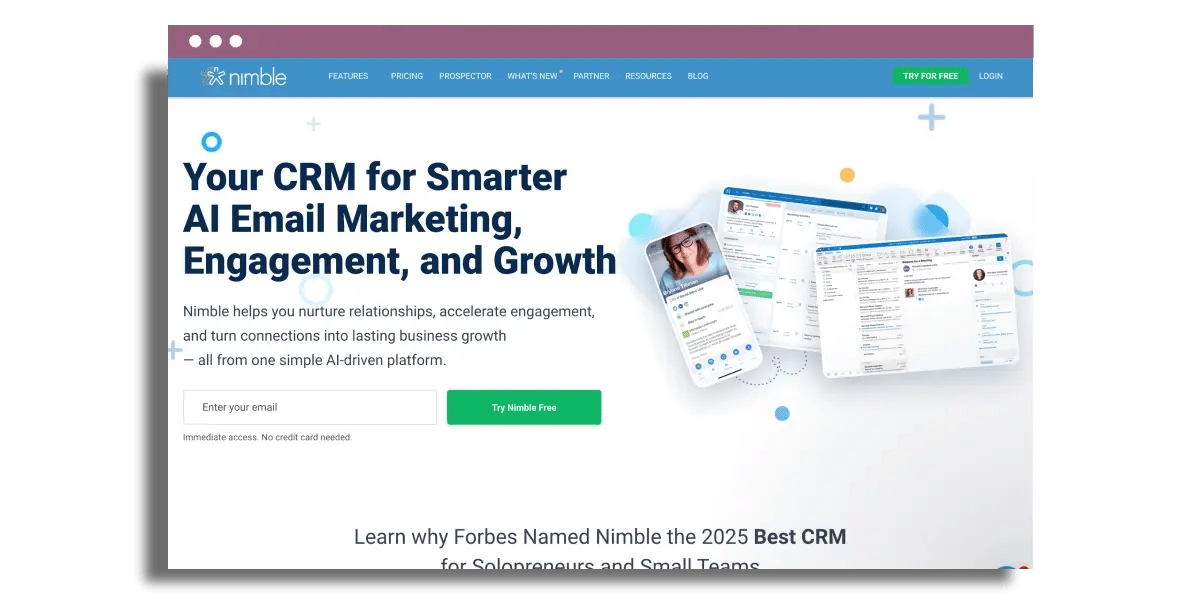
A relationship-focused CRM that pulls context from email and social channels to enrich contact records.
Best for
- Consultants and small teams doing relationship-led selling
- Teams that want social and email context in one view
What it does
- Contact enrichment from email/social sources
- Shared contact database with activity history
- Follow-up reminders and tasking
- Email sequences and outreach within set limits
Strengths
- Strong contact context from email and social activity
- Useful for keeping relationships warm and organised
- Fits into common office and marketing tools
Limitations
- Interface can feel busy for new users
- Feature usage often comes with monthly limits; add-ons can increase cost
Pricing snapshot
- Free plan: Typically no (trial common)
- Paid plans: Per user/month (premium SMB tier)
Use case: Best when you want richer contact context and consistent follow-up, especially for network-driven sales and business development.
Read on if this aligns with your business needs.
Nimble fits well for small teams that desire a social-aware CRM without constructing a cumbersome enterprise-style stack.
Nimble targets small businesses and focuses on pulling customer context from email and social channels into one place. The tool auto-enriches contacts from inboxes and platforms such as LinkedIn and X, so a profile typically displays email history, social interactions, company information, and recent updates all in one view. That allows sales to open a record and immediately view recent touch-points, rather than tab hopping. One highlight is its capability to capture contact interaction from social media, providing a fuller picture of relationship activity than many basic CRMs.
Contact management remains at the heart of Nimble. It maintains a common contact database that small business teams can share, with rudimentary duplicate management that assists in finding and merging duplicate records when someone is added twice. The interface can feel cluttered to some beginners. Several subtabs, widgets, and data panels appear on every screen. The depth is great once you get used to it, but onboarding typically requires a little time and internal rules of thumb about which fields and views are most important.
Nimble helps with everyday relationship management chores. You can track when you interact, set follow-up dates, and get daily reminders so crucial leads don’t quietly drop. That can be useful for solo consultants or tiny sales teams that depend on reliable follow-through more than high-volume outreach. Workflow automations, email sequences, email marketing, and data enrichment are included on the platform, but all run beneath monthly limits. For instance, email sequences are limited to 1,000 per user per month and exceeding that or other limits might call for upgrades or add-ons, which inflates price over time.
From a systems angle, Nimble plugs in with popular office suites, marketing tools, and web apps, so it slides into an existing stack instead of demanding a complete overhaul. That backs a seamless biz dev flow where contact data flows between emails, calendars and campaigns. Pricing occupies the premium tier for small business CRMs, beginning at around $24.90 a user a month. A 14-day free trial helps prove fit before committing. Support is only 8 hours per day, M-F, so distant time zones or weekend-heavy businesses may experience some gaps.
8. Copper
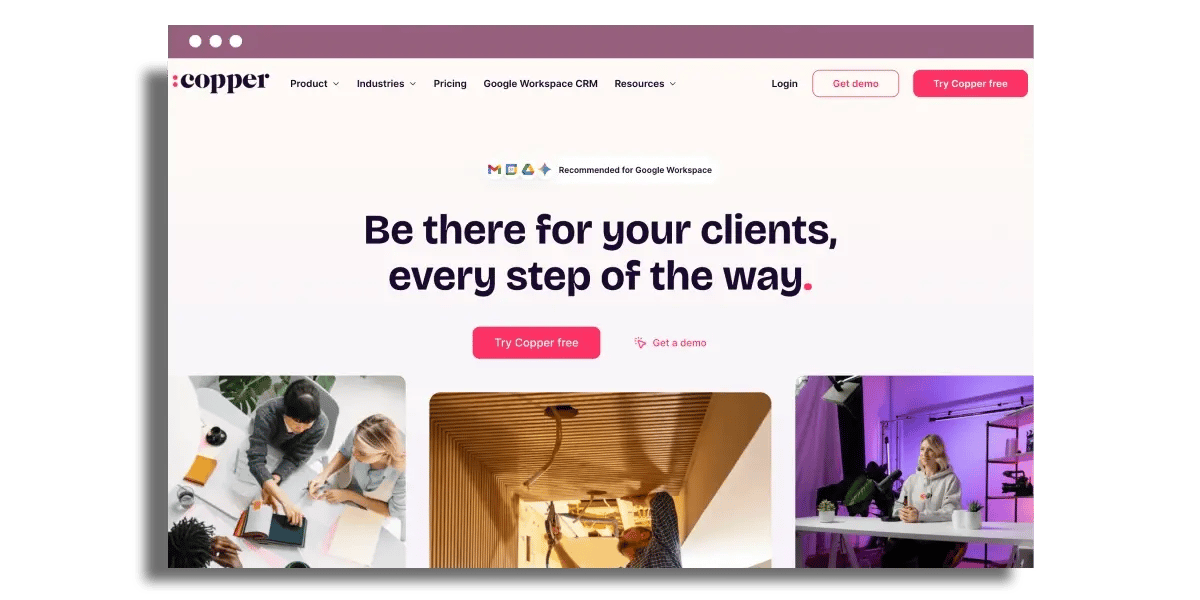
A CRM designed for teams that live in Google Workspace and want CRM functionality embedded into Gmail and Calendar.
Best for
- Google Workspace-first teams
- SMBs that want minimal disruption to existing workflows
What it does
- Gmail sidebar CRM for contacts and deals
- Email, calendar, and Drive activity tied to records
- Visual pipelines and stage tracking
- Basic workflow automation and reporting
Strengths
- Very low friction for Gmail/Calendar users
- Reduces manual data entry through inbox-based capture
- Strong shared visibility across teams
Limitations
- Less ideal if you’re not on Google Workspace
- Automation/reporting depth may be lighter than enterprise CRMs
Pricing snapshot
- Free plan: Typically no (trial common)
- Paid plans: Per user/month
Use case: Best when your team already runs on Gmail/Calendar/Drive and you want a CRM that feels like an extension of those tools.
Read on if this aligns with your business needs.
Copper is the pick for teams who live inside Google Workspace and want less friction in daily sales work.
For businesses that run on Gmail, Google Calendar, and Drive, Copper slips into the day instead of coercing people into adopting a new routine. Deals and contacts live inside the Gmail sidebar, so a rep can view previous emails, files in Drive, and calendar events connected to a contact without changing tabs. A tiny agency, for instance, might open a prospect’s email, add them as a lead in Copper, attach the proposal folder from Drive, and sync the discovery meeting to Google Calendar all in one place. The integration seems more like wrapping scaffolding around Google tools than creating a distinct environment.
One major advantage is Copper’s approach to data entry and activity monitoring. New contacts can be generated from an email in a few clicks, with email address, name, and company information pulled in automatically. Sales calls, emails, and meetings all tie back to the contact and the opportunity so a manager can open a record and see an obvious work trail. Even a tiny sales team that formerly recorded everything in spreadsheets can switch to Copper and remain focused inside the inbox while the CRM handles the admin in the background.
Pipeline views and workflow automation provide leaders with greater pipe control over revenue. Copper employs visual pipelines in which each phase displays deal amount, volume, and projected close dates. Automations can assign tasks when a deal moves stage, send follow-up reminders after a proposal goes out, or trigger alerts for stuck opportunities. It reports conversion rates by stage, time to close, and rep performance, which aids decisions on pricing, staffing, or marketing spend. A team running one pipeline for new business and another for renewals can compare them side by side and tweak playbooks with transparent figures.
Collaboration in Copper revolves around shared pipelines and timelines. Sales reps and marketers view identical contact data, email history, notes, and files, minimizing duplicate outreach and confusion. A marketer constructing a campaign can segment contacts by last activity or deal stage and sync with reps prior to dispatch. That level of shared context feels a bit like copper metal in wiring or cookware: strong, reliable, and designed to conduct information smoothly through the whole system.
9. Agile CRM
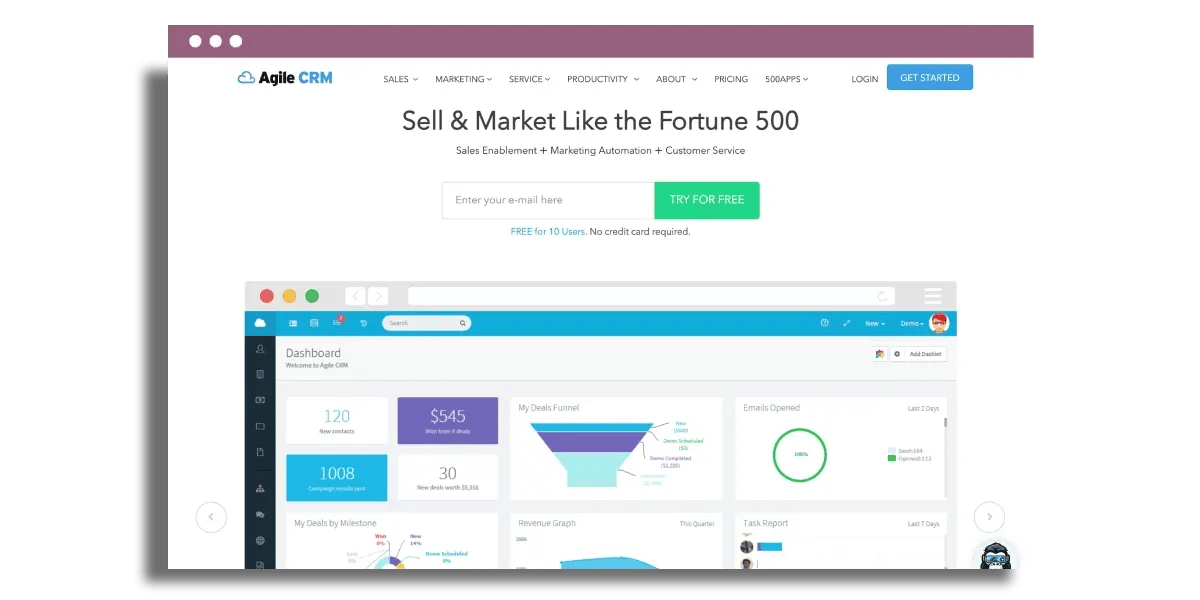
A lightweight all-in-one platform combining CRM, marketing automation, and basic support features for small teams.
Best for
- Small teams that want CRM + email automation together
- Businesses that want sales, marketing, and support in one system
What it does
- Unified contact timeline (sales + marketing + support)
- Drip campaigns and behavior-based triggers
- Deal pipelines and simple automation rules
- Basic integrations with common apps
Strengths
- All-in-one approach reduces tool sprawl
- Automation supports follow-up and simple nurture flows
- Useful for teams that want one system to run day-to-day
Limitations
- May not match the depth of dedicated best-of-breed tools
- Can require setup to keep workflows clean and consistent
Pricing snapshot
- Free plan: Often available with limits (varies)
- Paid plans: Tiered by users/features
Use case: Best when you want a single platform to cover basic CRM, email automation, and lightweight support tracking without extra tooling.
Read on if this aligns with your business needs.
Agile CRM differentiates itself as a small all-in-one center for sales, marketing, and support workflows in small teams.
Sales reps, marketers and support staff work inside the same web-based system, so contact records, deal stages, and support history stay in one place. Lead details, email opens, call logs and ticket statuses all show up on a single timeline, which reduces the back-and-forth between tools. The beauty of the platform is that it updates automatically in the browser, with no desktop installs or manual upgrades. With a free trial you can try out how well the layout, reporting views, and permissions match real workloads prior to any rollout.
For continuous outreach, Agile CRM supports drip campaigns, behavior-based triggers and funnel tracking within a single interface. A common setup uses a simple funnel: “New lead → Qualified → Proposal → Won/Lost,” with each stage linked to automations such as follow-up emails or task creation. Drip workflows can respond to customer action, such as opening a pricing email or clicking a demo link. Lead and customer behavior tracking reveals which channels send the most engaged contacts, including organic search and paid ads, and what content actually results in deals.
Customer acquisition frequently runs across ecommerce, social, and messaging tools. Agile CRM connects to over 30 external apps and services to trace that journey. Integrations with ecommerce pages can pull in order history and cart events. Social integrations provide context for such engagement as replies or direct messages. Communication tools, including email and chat, connect directly to contact records, so outreach and replies remain accessible in a single thread. Behavior tracking completes the picture by showing how customers initially find the brand and what they engage with prior to purchase.
On the operational side, Agile CRM has project management and scheduling features that orchestrate sales work and internal tasks. Teams can create projects around campaigns, launches, or onboarding programs, then assign tasks, due dates, and owners. Built-in calendar and appointment tools let sales reps schedule demos and follow-ups without having to use separate scheduling software. A common knowledge base enables collaboration. Team members add how-to articles, macros, and internal playbooks for sales and support.
Automation is more than just campaigns. Data entry, exporting, helpdesk tickets and feedback surveys can all run through rules. Web forms, dropdown numbers and all, funnel leads directly into the CRM. Landing pages allow little customizations like swapping arrow pointers for hand pointers, which is great for styling to brand. That mix of automation and light customization maintains processes consistently while still feeling tailored.
10. Keap
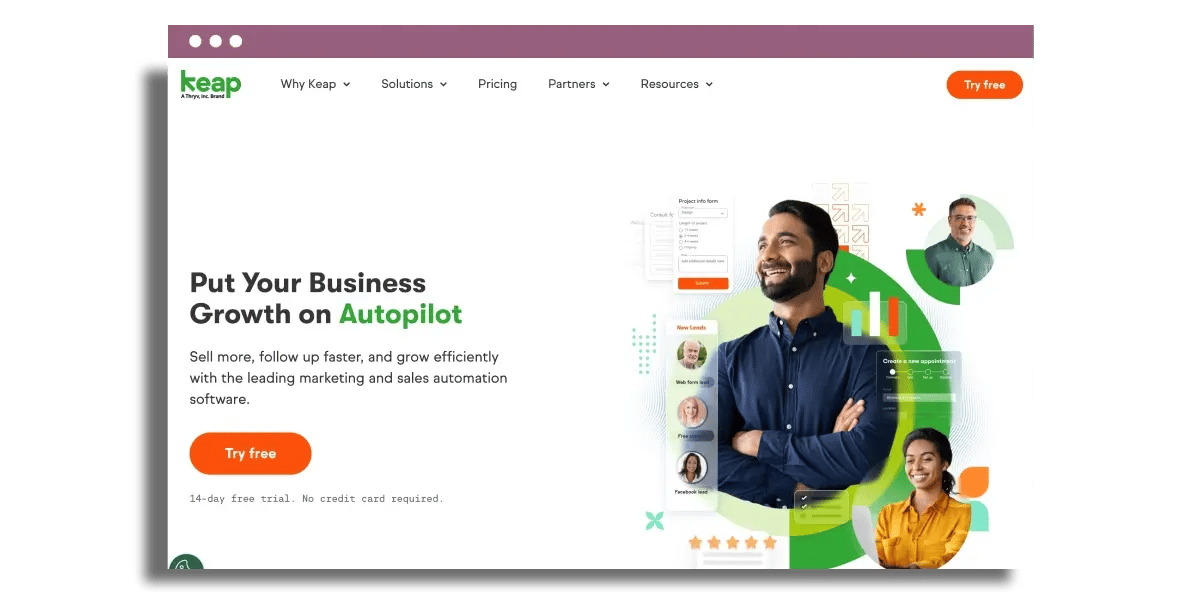
A CRM built for small businesses that want automation-heavy follow-up, scheduling, and invoicing in one place.
Best for
- Solopreneurs and small service businesses
- Teams prioritising automation and follow-up consistency
What it does
- Pipeline and contact management
- Automated email sequences and follow-ups
- Appointment scheduling
- Invoicing/payment integrations
Strengths
- Strong automation for lifecycle follow-up
- Combines CRM + marketing + admin workflows
- Useful tagging/segmentation for personalised outreach
Limitations
- Can be more than needed if you only want a simple CRM
- Costs can rise as features and contact volumes grow
Pricing snapshot
- Free plan: Typically no (trial common)
- Paid plans: Tiered packages
Use case: Best when you want the CRM to run your follow-up and admin (emails, bookings, invoices) with minimal manual effort.
Read on if this aligns with your business needs.
Keap is aimed at small teams who want automation built into the software instead of struggling with complicated setup or disconnected tools.
For solopreneurs and early-stage startups, Keap functions as a client hub, not just an address book. Each lead and client lives in one location with real-time status updates, so it’s much easier to see who just completed a form, who needs follow-up, and who is ready for a proposal. For instance, a solo marketing consultant can track new leads, discovery calls, proposals, and active projects in one pipeline instead of bouncing between spreadsheets and email chains. If you are still deciding how those initial enquiries should be captured, our review of web-based form builders is a good companion read.
The platform manages essential admin and follow-up tasks right within the CRM. Email marketing, appointment scheduling, and invoice generation all run from the same interface. A coach can send a welcome email sequence, allow prospects to book calls in open slots, and automatically send an invoice after the call, all triggered from a single contact record. That eliminates having to copy and paste data between calendar apps, email tools, and accounting software. The interface remains personable and easy, which reduces the learning curve for owners without their own full-time ops person.
Contact management in Keap doesn’t stop at the basic fields. Each interaction, note, email, and task connects to that very same record, so context is always at hand. Segmentation is key here. Users can tag contacts based on behavior or attributes such as “Downloaded pricing guide” or “Abandoned checkout” and then trigger personalized automations. For instance, folks who opened but didn’t click an offer can get a shorter, more direct follow-up rather than the same generic newsletter. The marketing automation engine is known to perform reliably, which is important once sequences begin to shoulder the bulk of day-to-day communication.
To help with growth, Keap integrates with payment processors, platforms like ecommerce, and popular marketing tools. A tiny online course business may take funds, sync orders into Keap, and ship post-purchase onboarding emails - all without guide effort. Task and appointment management features help keep owners on top of follow-ups, and the mobile-friendly interface means pipeline updates and call notes are a breeze to add on the go. The interface is broadly intuitive, and a free trial provides teams a low-risk method of testing if the workflows align with actual operations prior to locking in budget.
11. SugarCRM
Summary: A flexible mid-range CRM suited to teams that want custom modules across sales, marketing, and support without going full enterprise.
Best for
- Teams needing custom fields/modules and multiple pipelines
- Businesses that want strong reporting and workflow automation
What it does
- Configurable pipelines, layouts, and custom fields
- Lead scoring and segmentation options
- Workflow automation across sales and service
- Analytics and reporting for trends and risk
Strengths
- High flexibility without locking into rigid processes
- Strong reporting across sales/marketing/support data
- Good integration options via connectors and APIs
Limitations
- Can require admin effort to configure well
- Not the lightest option for very small/simple sales teams
Pricing snapshot
- Free plan: No (typically)
- Paid plans: Mid-tier pricing, tiered by features/users
Use case: Best when you need a CRM that adapts to your process (not the other way around), with reporting you can rely on as you scale.
Read on if this aligns with your business needs.
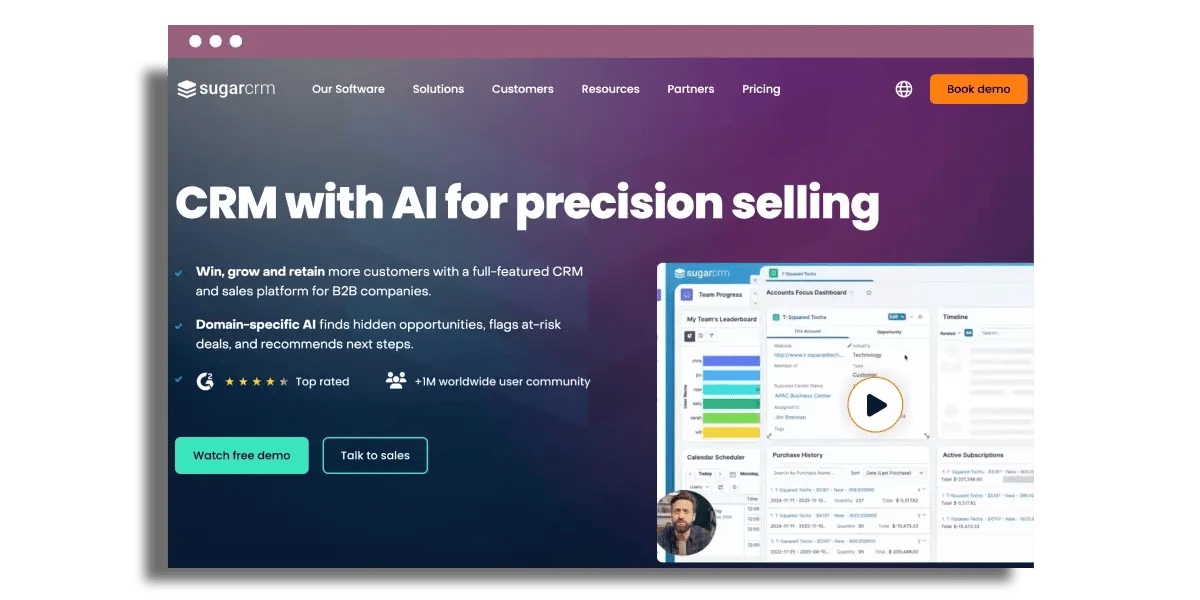
SugarCRM shines for teams who want a malleable mid-range platform without stepping foot into the hard-core enterprise software realm on day one.
SugarCRM fits nicely with small businesses requiring flexible modules across sales, marketing and support - not one rigid pipe. Sales teams can create custom fields and layouts for their real qualification process, configure separate pipelines for new business and renewals, and capture activity in ways that align to the team’s existing workflow. Marketing can set lead scoring rules, track campaign responses and segment contacts by industry, region or level of engagement. Support teams can handle cases with custom statuses, priority rules and SLA fields. A tiny B2B services shop, for instance, can run account-based sales, email nurture, and ticketed support from the exact same system, with each team viewing only the fields that interest them.
The analytics and reporting overlay provides more than simple dashboards. SugarCRM draws data from activities, opportunities, campaigns, and cases and then transforms it into reports that emphasize trends and risk. Sales leaders can see conversion rates by stage, average deal cycle length, or win rate by rep. Marketers can track which campaigns produce qualified opportunities versus clicks, and support managers can detect rising case volume by product line. For a founder watching cash flow and pipeline health, being able to track metrics like “pipeline coverage by month” or “churn risk by account segment” all inside a single reporting interface makes for more confident planning.
Automation in SugarCRM cuts down on repeated manual work across the customer journey. Workflows can route leads as per territory rules, notify account owners if a high-value customer opens a support ticket, or initiate follow-up tasks after a quote is emailed. Customer service requests flow through queues with automatic escalation when deadlines approach. All of this is powered by a central customer record, so every interaction - from initial email to most recent support notes, all remains in one location. A small team feels like a big, well-organized operation, even with a limited headcount.
Integration is another forte. SugarCRM integrates with widely used email platforms, ERP or accounting systems, cloud storage, and common third-party tools with APIs and prebuilt connectors. Small businesses can begin with core CRM functionality and then connect marketing automation, billing or support chat tools as they scale. That strategy facilitates incremental scaling rather than large, disruptive migrations.
12. Bitrix24
Summary: A broad CRM + collaboration suite with a strong free tier and unlimited users, suited to cost-conscious teams.
Best for
- Teams that need lots of users without license cost
- SMBs that want CRM plus collaboration features together
What it does
- CRM for contacts, deals, and activity tracking
- Team chat, workgroups, and document sharing
- Basic project management (tasks, boards, time tracking)
- Sales automation and dashboards
Strengths
- Unlimited users on free plan (key differentiator)
- Strong collaboration tools built-in
- Custom fields and dashboards for visibility
Limitations
- Can feel feature-heavy compared to simpler CRMs
- Limits apply on storage and some advanced features
Pricing snapshot
- Free plan: Yes (with limits)
- Paid plans: Tiered upgrades for storage/features
Use case: Best when you want CRM plus internal collaboration in one platform, especially if you need many users on a tight budget.
Read on if this aligns with your business needs.
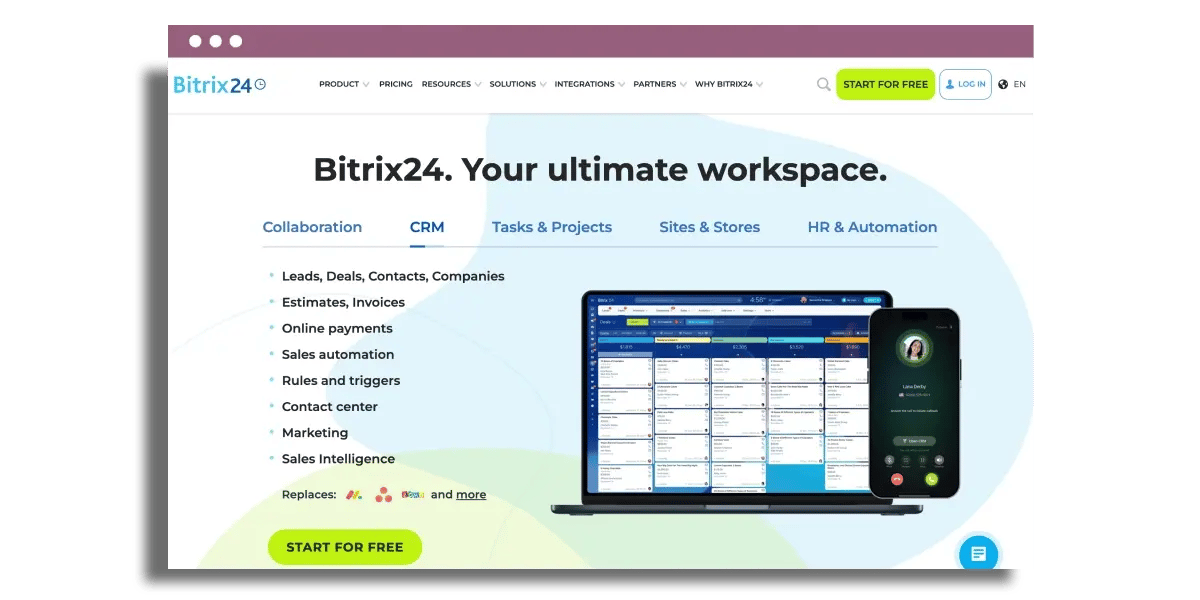
Bitrix24 offers the uncommon trifecta of free CRM, unlimited users, and extensive CRM and collaboration features all in one. For teams tracking every penny, the free plan shines. Unlimited users on the free tier means a founder, sales rep, virtual assistant, and external contractor can all work in the same CRM system without license juggling. A 12-person small agency, for instance, can maintain all client records, tasks, and messages in Bitrix24 without paying per user initially. While limits remain on storage and some advanced features, the entry barrier remains low for SMBs and early-stage startups looking for effective CRM tools.
That collaborative side extends well beyond most CRM platforms. Team chat, workgroups, and document sharing all reside within the same platform. A sales rep, for example, can drop a contract file in a deal record, tag a colleague in chat, and assign a follow-up task - all without opening three different tools. Basic project management features like Kanban boards, task dependencies, and time tracking help marketing and operations teams align campaigns, onboarding, or implementation work in the same place where customer details live.
Sales automation is surprisingly tangible-feeling after it has been configured. Leads can come in from web forms, chat widgets, or imported lists. Rules can shift records to stages, generate tasks when a deal reaches "proposal sent," or generate alerts prior to renewal dates. Built-in email lets you track messages on the contact or deal timeline, so a manager can see if follow-up stalled for a high-value opportunity. With telephony hooked up, inbound calls can surface customer insights on screen, log call minutes, and even record calls for quality assurance, enabling small teams to coach new reps without additional software.
Dashboards and customer records provide lots of customization space. Custom fields on contacts, companies, and deals help you track data such as contract type, implementation status, or account tier. Views can be filtered and saved, such as “overdue deals in Europe above €5,000,” providing quick snapshots for managers. Dashboards show metrics such as conversion rate, average deal size, and pipeline value by stage. Over time, reporting on what channels bring higher-value leads or which stages lose the most deals supports more informed choices about budget and process revisions, enhancing the overall CRM strategy.
With its blend of features and user-friendliness, Bitrix24 serves as a flexible CRM solution for small businesses aiming to build strong customer relationships while keeping costs manageable. This makes it an attractive option for those seeking a friendly CRM that meets their growing business needs today.
Final thoughts
As a small business, picking a CRM is less about the “best” tool and more about the right fit for your stage, stack, and team habits. The platforms in this list cover a wide range of needs, from simple pipelines and email tracking to full sales, marketing, and service suites.
Strong next steps usually look like this: shortlist three tools, run a focused trial with real deals and contacts, and check how well each CRM fits into your daily workflows and existing apps. Look carefully at data entry effort, reporting clarity, automation depth, and total cost over 12 to 24 months as your database grows. If you want to narrow the field further, compare this list against our guides to the best low-cost CRM tools for small business, small business B2B lead management strategies, and web-based form builders.
A CRM that matches your processes today and can stretch with your growth will create the most value over time.
Frequently asked questions
What is the best CRM tool for a small business just starting out?
For most new small businesses, HubSpot CRM or Zoho CRM is a solid choice. Both offer free CRM plans, quick installation, and user-friendly interfaces, enabling you to manage customer relationships, handle contacts, deals, and light email without the heavy price tag.
Which CRM is easiest to use for non-technical teams?
Pipedrive and Nimble provide a simple CRM experience with visual dashboards. They focus on pipelines and customer relationships, making them ideal for sales teams and solo business owners without IT support.
Are there good free CRM options for small businesses?
Yes, popular CRM platforms like HubSpot CRM, Zoho CRM, Bitrix24, and Agile CRM offer free CRM tiers. These plans generally provide basic contact management, deals, and tasks, making them ideal for small business needs today, especially for teams with limited budgets.
Which CRM integrates best with Google Workspace?
Copper, a friendly CRM solution, works seamlessly inside Gmail and Google Calendar, automatically importing emails, contacts, and events. This integration is ideal for small businesses seeking an effective CRM tool that complements their Google Workspace workflow.
How do I choose the right CRM for my small business?
Start with your goals: more sales, better follow-up, or team collaboration. Then include essential features such as email templates, automation, or a mobile app. Compare popular CRM solutions like HubSpot, Zoho, Pipedrive, and Freshsales by price, ease of use, and integrations.
Can small businesses use Salesforce without it being too complex?
Salesforce Essentials is a friendly CRM solution designed for small businesses. It offers fundamental Salesforce functionality in an easy-to-use bundle at a reduced price, making it an effective CRM tool for expanding teams needing powerful customization and reporting.
Which CRM is best for service-based or agency-style businesses?
Insightly, Keap, and Freshsales are excellent CRM solutions for service-based businesses. Insightly combines customer relationship management with project tracking, while Keap focuses on automation and follow-up. Freshsales provides effective CRM tools with sales features and built-in telephony, allowing you to choose based on your specific business needs.

Maximize success with small business B2B lead management strategies
Learn how small businesses build a scalable B2B lead management system using CRM software, automation and proven growth workflows.

Best low cost CRM for small business
Discover the best low-cost CRM for small businesses with our in-depth comparison of Zoho CRM, CapsuleCRM, and EngageBay.

8 must have marketing tools for small business
8 essential marketing tools for small business success, tailored to drive your growth and streamline your efforts.